

Best Squarespace Filter Plugin (2026): Genius vs Universal vs Smart Filter Pro
Last updated 14th August 2026
There's no single best Squarespace filter plugin - it depends on what you're filtering. For most users who want simple filtering for portfolios, blogs, galleries, and events, the Genius Squarespace Filter Plugin is the better choice. If you're running a store and need product filtering by color, size, or price, you need a plugin built for that instead, Smart Filter Pro auto-detects variants with zero setup, while Universal Filter covers products and content in one plugin but comes with a steeper setup. Here's a full breakdown so you can decide.
Quick answer
Best for portfolios, blogs, galleries, events: Universal Filter - no-code, one setup, four content types
Best for store product filtering (color/size/price): Smart Filter Pro - auto-detects variants, no manual tagging, requires Business plan or higher
Best if you need one plugin for both content and products: Universal Filter - broadest coverage, more complex setup involved
Simplicity vs Complexity
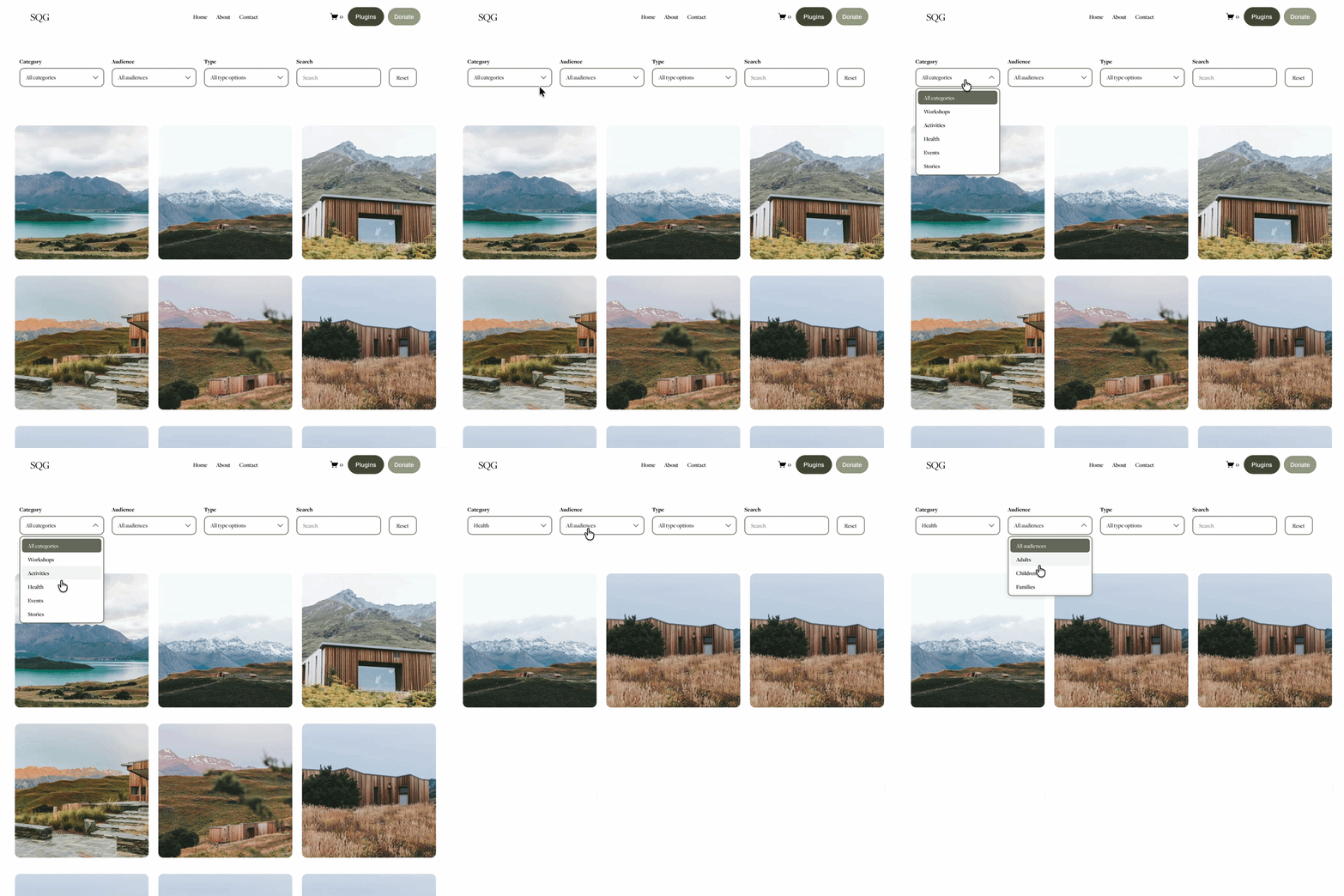
Genius Squarespace Filter Plugin: All about simplicity. It's lightweight, easy to install, and doesn't overwhelm you with settings. Just copy, paste, and customise – no coding knowledge needed. Free setup support and guidance available if needed.

Smart Filter Pro: Built for a single job: store product filtering. It reads your existing Squarespace product variants automatically and turns them into color swatches and size grids with zero manual tagging - one code paste into Footer Code Injection and it's live. The trade-off is that it only works on product pages.

Squarespace Universal Filter: Powerful but can feel a little overwhelming, especially if you're new to plugins. It's the only one of the three that filters both content and products, but that flexibility comes with more setup - variant-based filtering needs manual tags and some CSS/JavaScript knowledge.
Where The Plugins Work Best
Genius Squarespace Filter Plugin
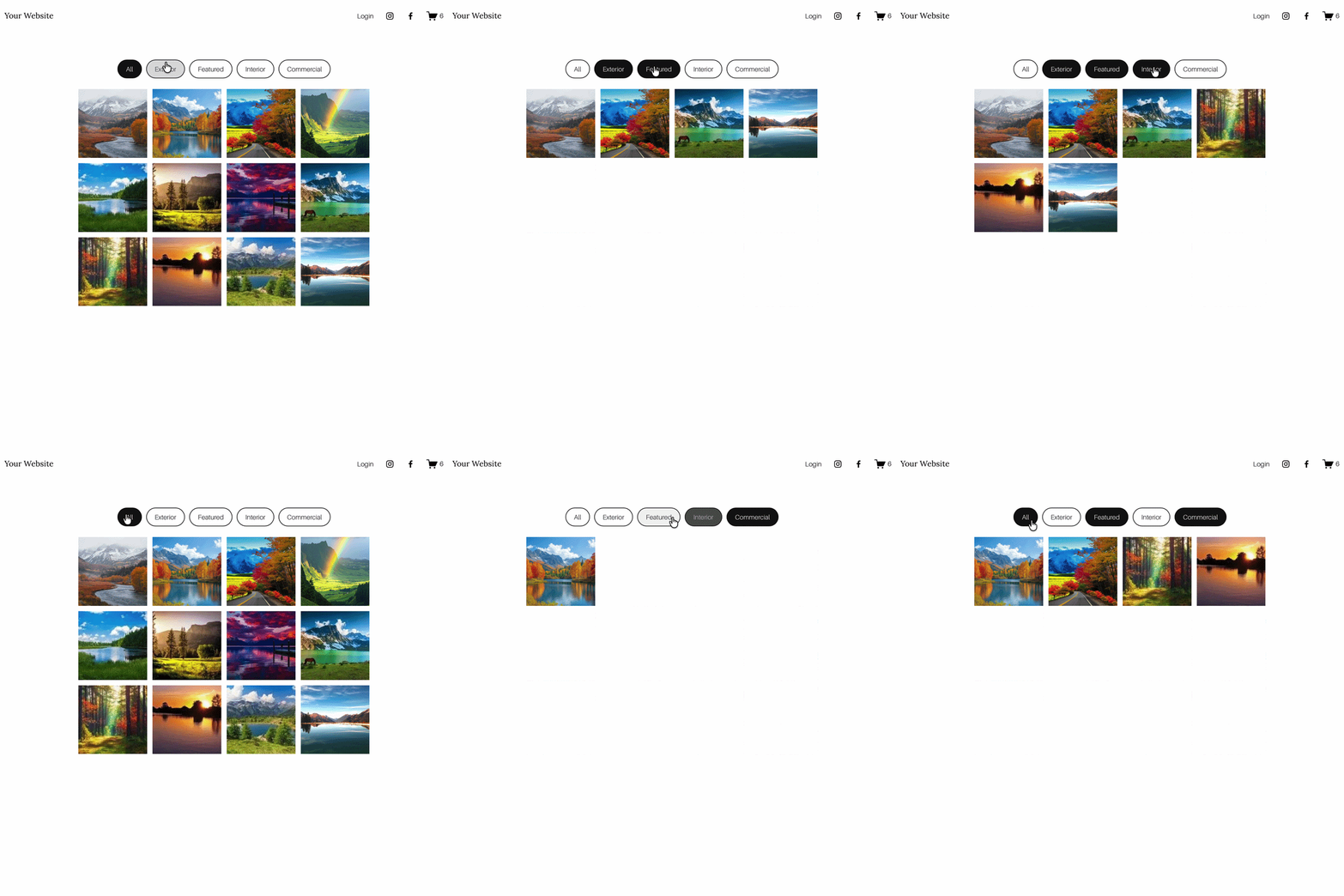
Works beautifully on portfolio/collection pages, blogs, galleries (grid, masonry & strips layouts), and events. Gallery support was added most recently, so this now covers four content types from one plugin. Perfect if you want a Squarespace filter portfolio that looks clean and professional. It doesn't support product pages – but that's on the roadmap.
Smart Filter Pro
Built exclusively for store product pages. It auto-detects Color and Size variants and renders them as swatches and size grids, with a price-range filter alongside. It doesn't touch portfolios, blogs, galleries, or events – if you need those filtered too, pair it with the Genius Filter Plugin. Requires Squarespace Business plan or higher.
Universal Squarespace Filter Plugin
Works on portfolios, products, blogs, galleries, events, and albums – the widest single-plugin coverage of the three, per Universal Filter's own plugin specification. The trade-off against the Genius plugin isn't feature coverage but setup: Universal Filter needs some CSS/JavaScript knowledge for advanced configuration, while the Genius plugin is copy-paste with no coding required.
Features at a Glance
| Feature | Genius Filter Plugin | Universal Filter | Smart Filter Pro |
|---|---|---|---|
| Ease of use | Super simple, beginner-friendly | Advanced, can feel complex | Paste and done |
| Portfolio support | Yes | Yes | Not supported |
| Blog / gallery / event support | Yes | Yes | Not supported |
| Product pages | Not yet | Yes | Auto-detects variants |
| Coding required | None | Some, for advanced setups | None |
| Plan requirement | Any 7.1 plan | Any 7.0/7.1 plan | Business plan or higher |
| Pricing | $59.99 | $89 | $45 (single site) |
The Genius plugin focuses on simplicity for portfolios, blogs, galleries, and events. Universal Filter supports products alongside content, with more setup. Smart Filter Pro is the fastest way to filter store products specifically. Choose the one that matches what you're actually filtering.
Which Squarespace Filter Plugin Should You Choose?
Choose Genius Filter if you value speed, simplicity, and a user-friendly setup for portfolios, blogs, galleries, and events.
Choose Smart Filter Pro if your only need is filtering store products by color, size, or price, and you want zero manual tagging.
Choose Universal Filter if you specifically need one plugin covering both content and products, and don't mind more configuration.
Tip: If you're unsure and don't run a store, start with the Genius plugin. If you run a store and only need product filtering, Smart Filter Pro installs in under 5 minutes.
FAQS
-
It depends on what you're filtering. For portfolios, blogs, galleries, and events, the Genius Filter Plugin is the simplest no-code option. For store product filtering by color, size, or price, Smart Filter Pro auto-detects variants with no setup. If you need one plugin covering both content and products, Universal Filter is the most established choice, though it requires more configuration.
-
The Genius Filter Plugin and Smart Filter Pro are both copy-paste installs with no coding required, under 10 minutes. Universal Filter requires some CSS and JavaScript knowledge for advanced configuration.
-
Yes. The Genius Filter Plugin supports Grid, Masonry, and Strips gallery layouts alongside portfolios, blogs, and events, so one plugin covers filtering across all four content types.
-
Yes. Universal Filter supports portfolio pages on Squarespace 7.1, alongside blogs, galleries, events, and products, making it the widest single-plugin coverage of the three options here. The Genius Filter Plugin still offers the simpler, no-code setup specifically for portfolios if you don't need product filtering as well.
-
Yes, with either Smart Filter Pro or Universal Filter. Smart Filter Pro auto-detects color, size, and price variants with no manual tagging but requires a Business plan or higher. Universal Filter also supports products but needs manual tag setup for variant filtering. The Genius Filter Plugin does not currently support product pages.
-
Smart Filter Pro auto-detects your existing Color and Size variants and renders them as swatches and size grids automatically, with no manual tagging. Universal Filter requires manual tag configuration and some coding knowledge to achieve the same result, though it also covers content collections that Smart Filter Pro doesn't touch.
-
Smart Filter Pro is $45 for a single site. The Genius Filter Plugin is $59.99 and covers portfolios, blogs, events, and galleries in one purchase. Universal Filter is $89 and covers the widest range of collection types, including products.
-
No, not for the Genius Filter Plugin or Smart Filter Pro — both install via copy-paste with no coding required. Universal Filter requires some CSS and JavaScript knowledge for advanced configuration, so less confident users may need developer help.
-
For content filtering with the Genius Filter Plugin, any 7.1 plan works. For product filtering with Smart Filter Pro, you need Business plan or higher, since it installs via Code Injection, which isn't available on Personal plans.
Final Thoughts on Genius Squarespace Filter Plugin vs Universal Filter Squarespace.
If you’re weighing up universal filter Squarespace options, it really comes down to what you need most: simplicity or product filtering. The Genius Squarespace Filter Plugin keeps things beautifully simple for portfolios, blogs, and events — perfect if you want a clean Squarespace filter portfolio with no fuss. Meanwhile, the Squarespace Universal Filter brings product support and extra controls if you’re happy with a steeper learning curve.
Choose Genius if you value speed, simplicity, and a user-friendly setup for portfolios, blogs, and events.
Choose Universal if you specifically need product filtering and don’t mind more configuration.
Pricing: Genius is cheaper, making it a smart pick for budget-conscious sites wanting a lightweight Squarespace filter plugin.
Whichever route you take, adding filters will help visitors find content faster — and that means better engagement, more time on page, and a smoother journey through your site. If you’ve been wondering how to add a filter in Squarespace, you now have two strong paths forward.







Did I help you? Consider buying me a coffee as thanks!














Squarespace doesn't have a table of contents block. Here are two ways to add one to your blog posts: the free manual method and the automatic plugin route.