

The Complete Guide to Squarespace Filtering (2026)
Last updated: September 2026
Quick Answer: Squarespace has basic built-in filtering for blogs and events (via categories and tags) and for store pages (via categories and product filters), but portfolio pages, gallery sections and gallery blocks have no native filtering at all. To add modern, clickable filter buttons to any of these without a page reload, you need a Squarespace filter plugin or custom code.
The Complete Guide to Squarespace Filtering
If you’re building a content rich website on Squarespace, filtering eventually becomes important.
At the start, everything feels manageable. A handful of blog posts. A few events. A small portfolio.
But as your content grows, so does the need for structure.
Visitors don’t want to scroll endlessly. They want to narrow content quickly and find what’s relevant to them.
This guide explains how filtering works in Squarespace, where the limitations are, and how to enhance it properly without rebuilding your site.
Contents
What Filtering Does Squarespace Have Built In?
Why Does Filtering Matter on a Growing Squarespace Website?
When your site is small, visitors can scroll and find what they need. But once you've got dozens of blog posts, projects, events or resources, scrolling stops working. People give up before they find the thing that would have convinced them to get in touch, book or buy.
Filtering fixes that. It lets visitors narrow things down to exactly what's relevant to them, whether that's "wedding photography", "fundraising events" or "CSS tutorials", in one click. It keeps people on your site for longer, makes your content feel organised and professional, and helps your best work get seen instead of buried.
What Filtering Does Squarespace Have Built In?
Squarespace's built-in filtering depends entirely on the type of page you're using. Here's how each one works in 2026.
Blog Pages
Blog collections allow you to assign categories and tags to posts. When a visitor clicks a category, Squarespace loads a filtered archive page showing posts within that grouping.
It works, but it relies on page reloads and simple archive links rather than dynamic filtering.
For a deeper breakdown, see my full guide on How to Add Filters to a Squarespace Blog
Events Pages
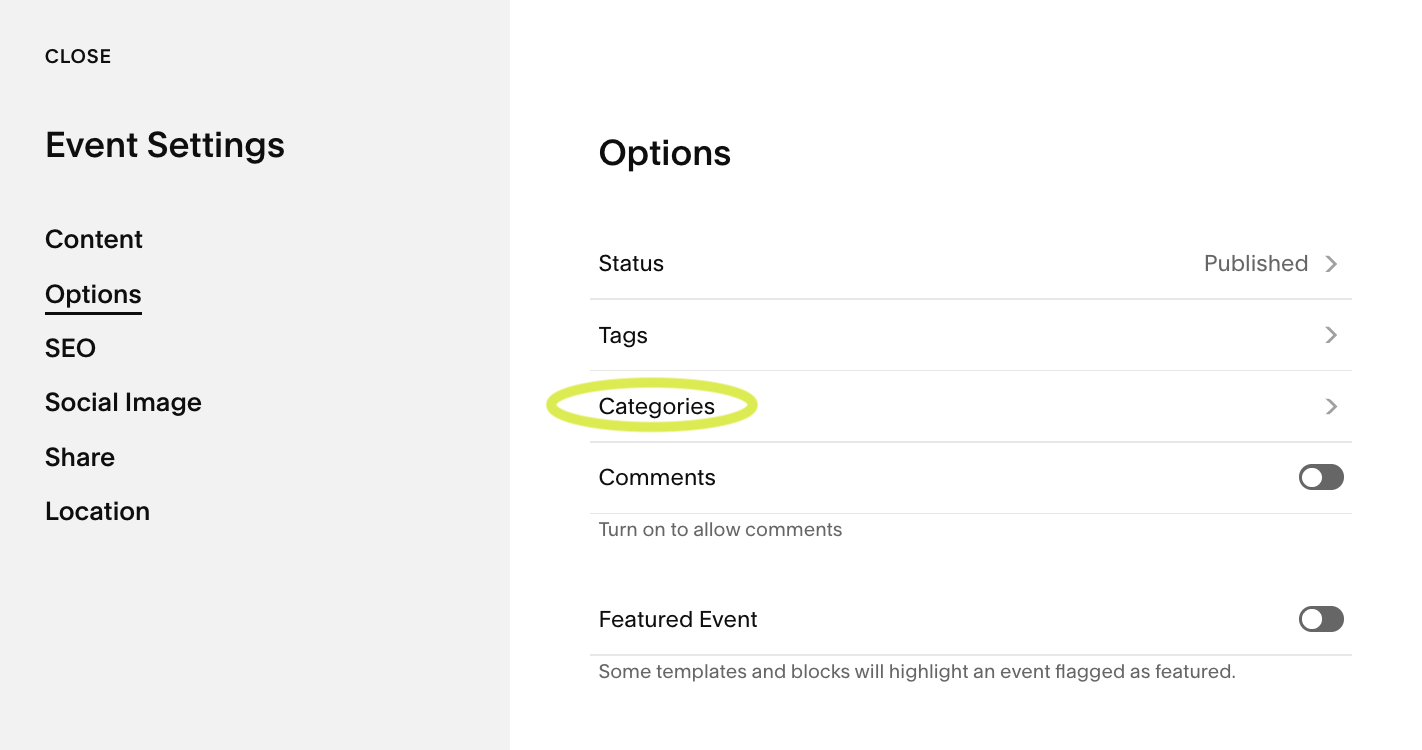
Events collections also allow categories to be assigned. Each category generates its own archive URL, which acts as a filtered view of your events.
However, the interface is basic and not presented as an interactive filter bar.
You can read more about this in How to Add Filters to a Squarespace Events Page
Portfolio Pages
Portfolio collections are more limited.
Currently, Squarespace does not support categories or tags on portfolio pages in the same way it does for blogs and events. That means there’s no native filtering structure available.
If you have a growing portfolio, this can become restrictive.
You can explore this further in How to Add Filters to a Squarespace Portfolio Page
Store Pages
Shops are the best-served area. In Squarespace 7.1 you can add product categories (up to three levels deep), which appear as a category menu on your store page. You can also add product filters based on tags, with up to 10 filters per store page, on store pages with 200 or fewer products.
Styling options are still fairly limited, but for most shops the native filters now do a good job.
A popular plugin for store filtering is the universal product filtering plugin
Gallery Sections and Gallery Blocks
There's no native filtering for gallery sections or gallery blocks. Every image shows at once, which can get overwhelming as a portfolio grows.
I've covered the options in How to Filter Squarespace Gallery Sections and How to Add a Squarespace Gallery Filter.
Summary Blocks
You can set a summary block to show only one category or tag. It's a fixed setting you choose in the editor, though, not a filter your visitors can click.
The Limitations of Native Squarespace Filtering
Across all collection types, native filtering tends to rely on simple categories and tags rather than dynamic filtering. The visual presentation is minimal. Filtering reloads the page. And in the case of portfolio pages, structured filtering is not available at all.
For small websites, this may not be an issue. But as your content expands, these limitations become more noticeable.
When Do You Need Enhanced Filtering?
Enhanced filtering becomes valuable when your content starts to grow and visitors need clearer navigation.
If your blog contains multiple topics, your events span different categories, or your portfolio showcases varied services, filtering quickly moves from optional to essential.
The goal is not to complicate your site. It’s to make it easier to use.
Native Filtering vs Enhanced Filtering
Native filtering is functional. It works through categories and archive pages.
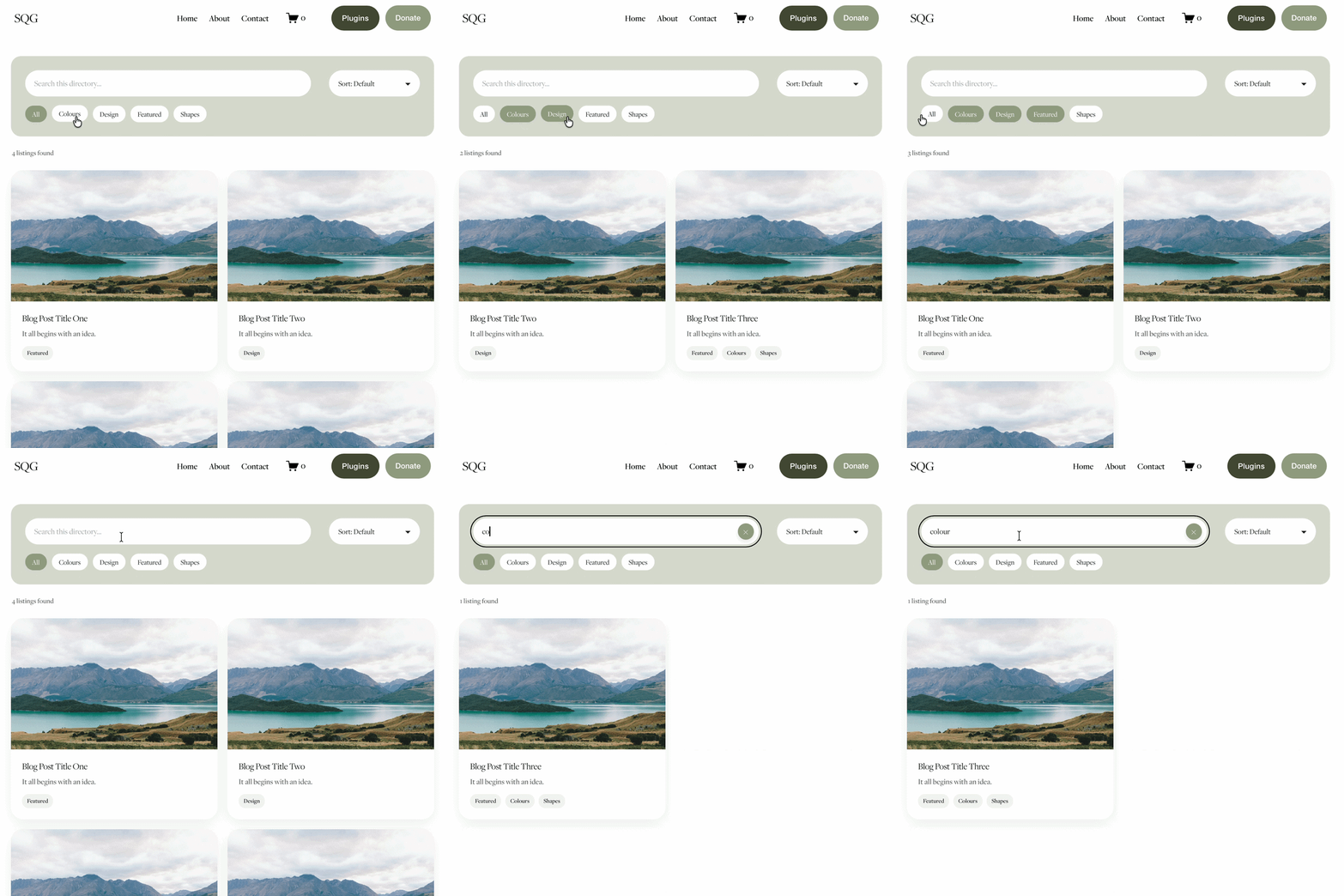
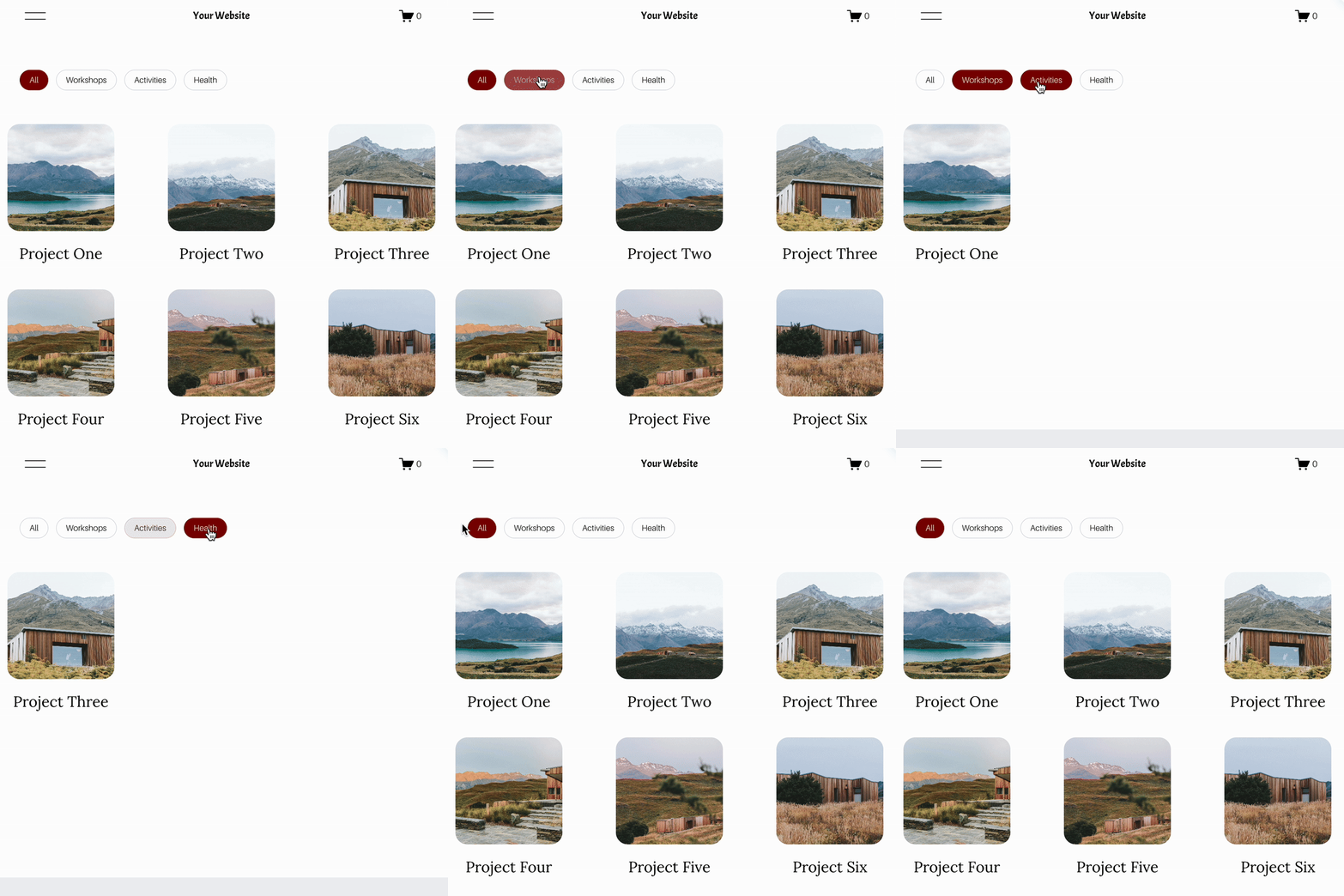
Enhanced filtering builds on that structure and presents it through a modern interface - typically styled buttons or dropdowns that allow visitors to narrow results more intuitively.
It keeps your underlying Squarespace structure intact while improving usability and presentation.
Rather than replacing Squarespace, it enhances it.
How to Add Modern Filtering to Squarespace
If you want filtering that feels integrated and intentional, you’ll need to introduce additional functionality.
The Genius Squarespace Filter Plugin was built specifically to enhance filtering across blog, event and portfolio pages.
It works alongside your existing collections and allows you to create styled filter interfaces that feel part of your design.
Installation involves adding a small code snippet, but no advanced development knowledge is required. You can explore how it works here
And you can view live demos for blogs, events and portfolio filtering to get a feel for the style and function.
FAQ’s About Squarespace Blog Filtering
-
Yes, for blog, event and product collections via categories and tags. Portfolio pages do not support native filtering.
-
Not natively. Dynamic filtering requires an enhanced solution or custom code.
-
Yes. Product filtering is handled within Squarespace Commerce and may require specialised ecommerce plugins for more advanced functionality.
-
If implemented correctly, filtering works alongside your existing collection URLs and does not remove native archive functionality.
Final Thoughts
Squarespace keeps things simple, which is one of its strengths.
But as your website grows, filtering becomes more important.
Blogs and events offer basic archive filtering. Portfolio pages do not. Product filtering exists within Commerce but may need enhancement depending on your store structure.
If you want your site to feel easier to explore and more professional, enhancing your filtering system is one of the most impactful upgrades you can make.
You can explore the full features of the Genius Squarespace Filter Plugin here.
It improves usability without requiring a redesign or platform change - and for content rich websites, that can make a significant difference.
Check out my video overview of how the Genius Squarespace Filter Plugin works:
Check out my latest Squarespace Plugins:

Did I help you? Consider buying me a coffee as thanks!

Looking for an easy way to add filters to Squarespace?
The Genius Squarespace Filter Plugin helps you turn busy portfolio pages, blogs, event pages and galleries into a cleaner, easier to browse experience.
Visitors can quickly filter your content by category, topic, service, location, resource type or any labels you choose, instead of scrolling through everything.
Perfect for portfolios, blog archives, event listings, galleries (grid, masonry & strips only) resource hubs and larger content collections, this plugin gives your visitors a smoother way to explore your content without the cost or complexity of custom development.
Portfolio Filter Demo ➜
NEW Advanced Dropdown Portfolio Filter Demo ➜
Gallery Filter Demo ➜
Blog Filter Demo ➜
Event Filter Demo ➜
Key Features:
Simple to install and customise
Filter options for portfolio pages, galleries, blogs and events
Includes the new advanced dropdown portfolio filter
Ideal for Squarespace sites needing more in depth filtering options with a simple user experience
Beginner friendly setup with copy and paste instructions
Designed for Squarespace 7.1 websites