

How to Add Filters to a Squarespace Events Page
Quick Summary: Squarespace Event Filtering
Can you filter events in Squarespace?
Yes. Squarespace allows you to assign categories to events and view category archive pages.
What’s the limitation of filtering events?
Native filtering relies on basic archive links. It reloads the page and offers a very standard, minimal interface.
How can you improve event filtering on Squarespace?
You can enhance native category filtering with a more dynamic, stylish filter interface that works alongside Squarespace’s built in structure.
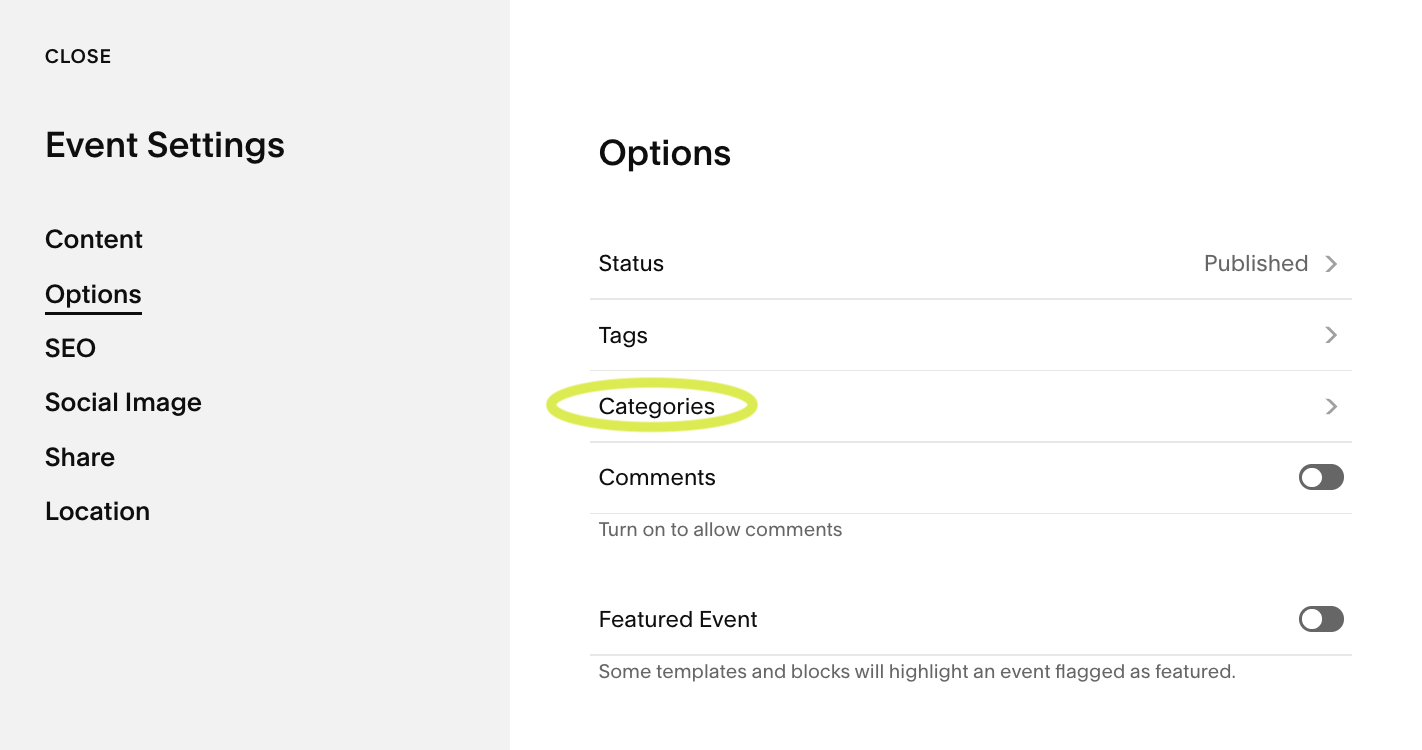
Using Squarespace Categories and Tags on Events Pages
On a Squarespace events page, you can organise events by assigning categories and tags within each event item. Categories are best used for main groupings, such as Workshops, Webinars or Fundraisers, while tags can add more specific detail like Location, Audience or Topic. Once assigned, each category generates its own archive URL, allowing visitors to view events within that grouping. While this doesn’t create a styled filter interface, it does provide a structured way to organise and access events using Squarespace’s built in system.
Why Native Event Filtering on Squarespace Feels Limited
While it works technically, the experience is quite basic.
1. It reloads the page
Every time a category is clicked, visitors are waiting for the page to reload.
2. It looks standard
Category links are usually plain text or simple archive block dropwdowns. There’s no modern styling.
3. It’s not visually integrated
It doesn’t feel like a designed filtering system - more like a simple archive link.
For smaller sites, this might be enough. But for growing event calendars, it can feel clunky and uninspiring.
What Most Event Organisers Actually Want
When people search for event filtering in Squarespace, they’re usually trying to:
Let visitors filter by event type
Make it easy to browse workshops or talks
Improve navigation on busy event pages
Keep users on the same page while filtering
In short, they want filtering that feels intentional and designed — not just functional.
How to Add Modern, Dynamic Filtering to a Squarespace Events Page
Instead of using Squarespace’s category system, you can add a much more user focussed filter system/
The filter plugin works by using your existing event URLs and turning them into a clean, styled filtering interface.
That means:
You can still use Squarespace’s native categories alongside
You don’t lose built in functionality
You keep archive URLs for SEO
You gain a modern filter design
Filtering feels smoother and more intuitive
Installation involves adding a small code snippet, and adding event urls, but no advanced development knowledge is required.
The result feels like a natural upgrade rather than a workaround.
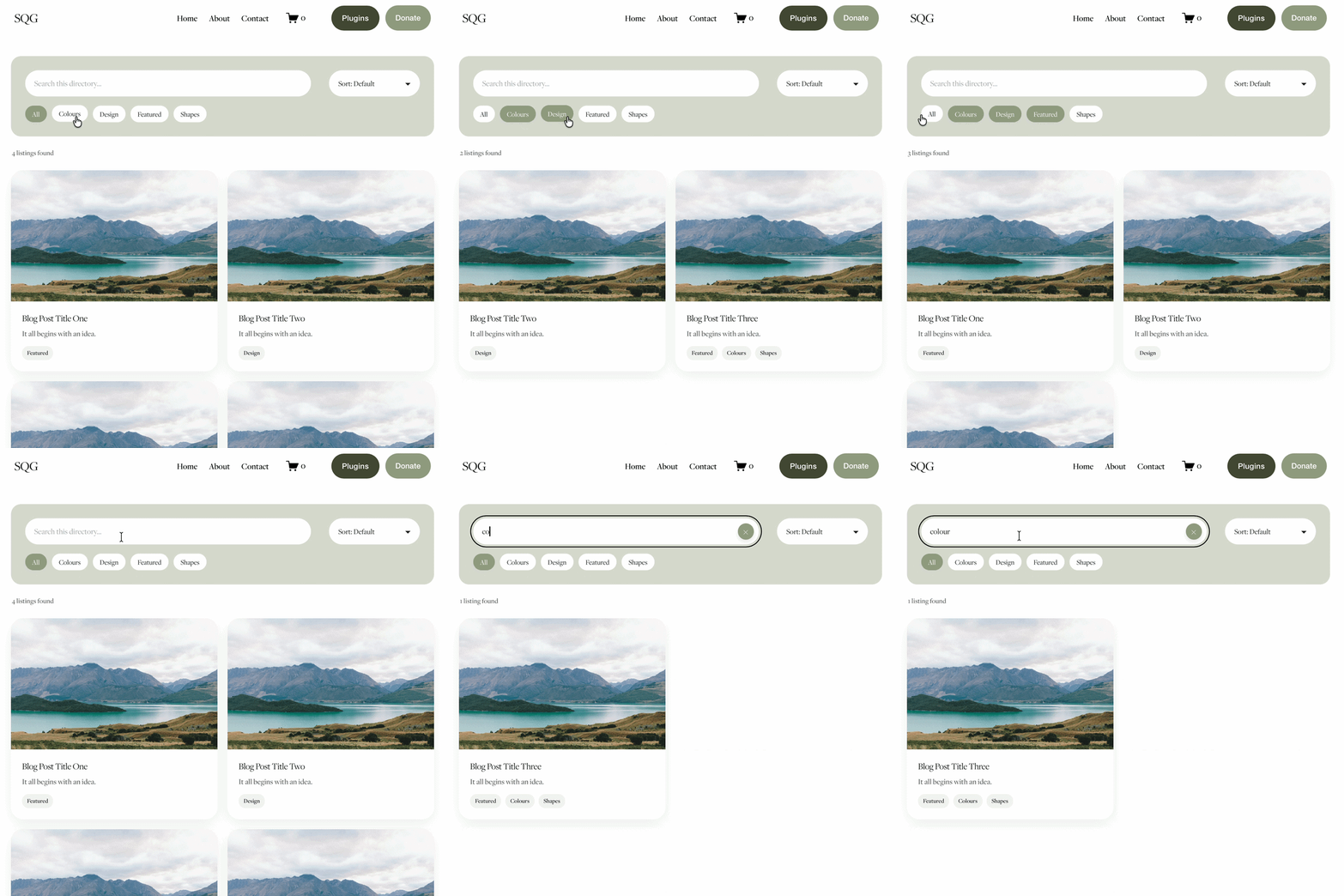
If you’d like to see it in action, here’s a live demo
Notice how:
The filters look clean and intentional
The interface feels integrated into the design
Events update clearly and logically
The experience is far more user friendly
It’s simple — but it makes a big difference.
Who Should Add Event Filtering?
Enhanced event filtering is particularly useful if you:
Run recurring events
Organise events by theme or topic
Host multiple event types
Want your events page to feel more polished
Care about usability and navigation
The more events you publish, the more valuable structured filtering becomes.
Final Thoughts
Squarespace already provides the structure for event filtering through categories. But the default presentation is minimal. By enhancing native categories with a cleaner, more modern filter interface, you can dramatically improve usability without replacing the platform’s core system.
It’s not about adding complexity. It’s about improving experience.
You might also be interested in these super useful Squarespace Plugins:
Did I help you? Consider buying me a coffee as thanks!
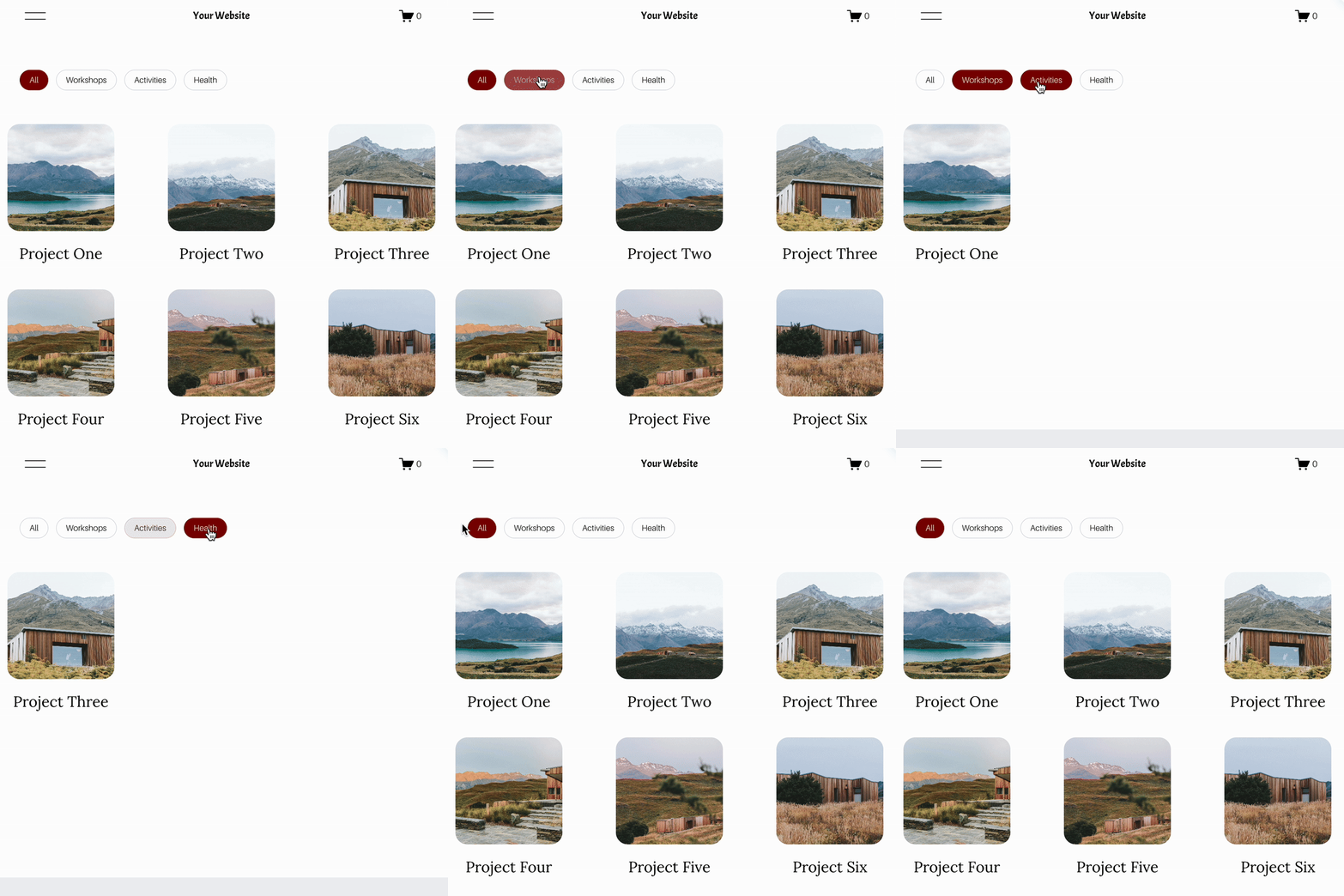

Looking for an easy way to add filters to Squarespace?
The Genius Squarespace Filter Plugin helps you turn busy portfolio pages, blogs, event pages and galleries into a cleaner, easier to browse experience.
Visitors can quickly filter your content by category, topic, service, location, resource type or any labels you choose, instead of scrolling through everything.
Perfect for portfolios, blog archives, event listings, galleries (grid, masonry & strips only) resource hubs and larger content collections, this plugin gives your visitors a smoother way to explore your content without the cost or complexity of custom development.
Portfolio Filter Demo ➜
NEW Advanced Dropdown Portfolio Filter Demo ➜
Gallery Filter Demo ➜
Blog Filter Demo ➜
Event Filter Demo ➜
Key Features:
Simple to install and customise
Filter options for portfolio pages, galleries, blogs and events
Includes the new advanced dropdown portfolio filter
Ideal for Squarespace sites needing more in depth filtering options with a simple user experience
Beginner friendly setup with copy and paste instructions
Designed for Squarespace 7.1 websites