

How to Add Filters to a Squarespace Blog (2026 Guide)
Last updated September 2026
Quick Answer: Squarespace blogs can be filtered natively using categories and tags, but each click reloads the page and there's no built-in filter bar. To add clickable filter buttons that update your blog instantly without a page reload, you need a Squarespace blog filter plugin, which you can install with copy and paste in a few minutes.
If you’ve built a blog on Squarespace and started publishing regularly, you’ll have hit this at some point:
There’s no proper dynamic filtering.Yes, you can add categories. Yes, you can click through to archive pages. But once your content grows, it starts to feel clunky fast. And if you care about user experience, that matters.
So let’s break down what Squarespace allows, where it falls short, and how to upgrade it properly.
Let’s walk through what’s possible on Squarespace blog filtering, what’s not, and how to upgrade it properly.
Can You Add Filtering to a Squarespace Blog Natively?
Short answer: yes.
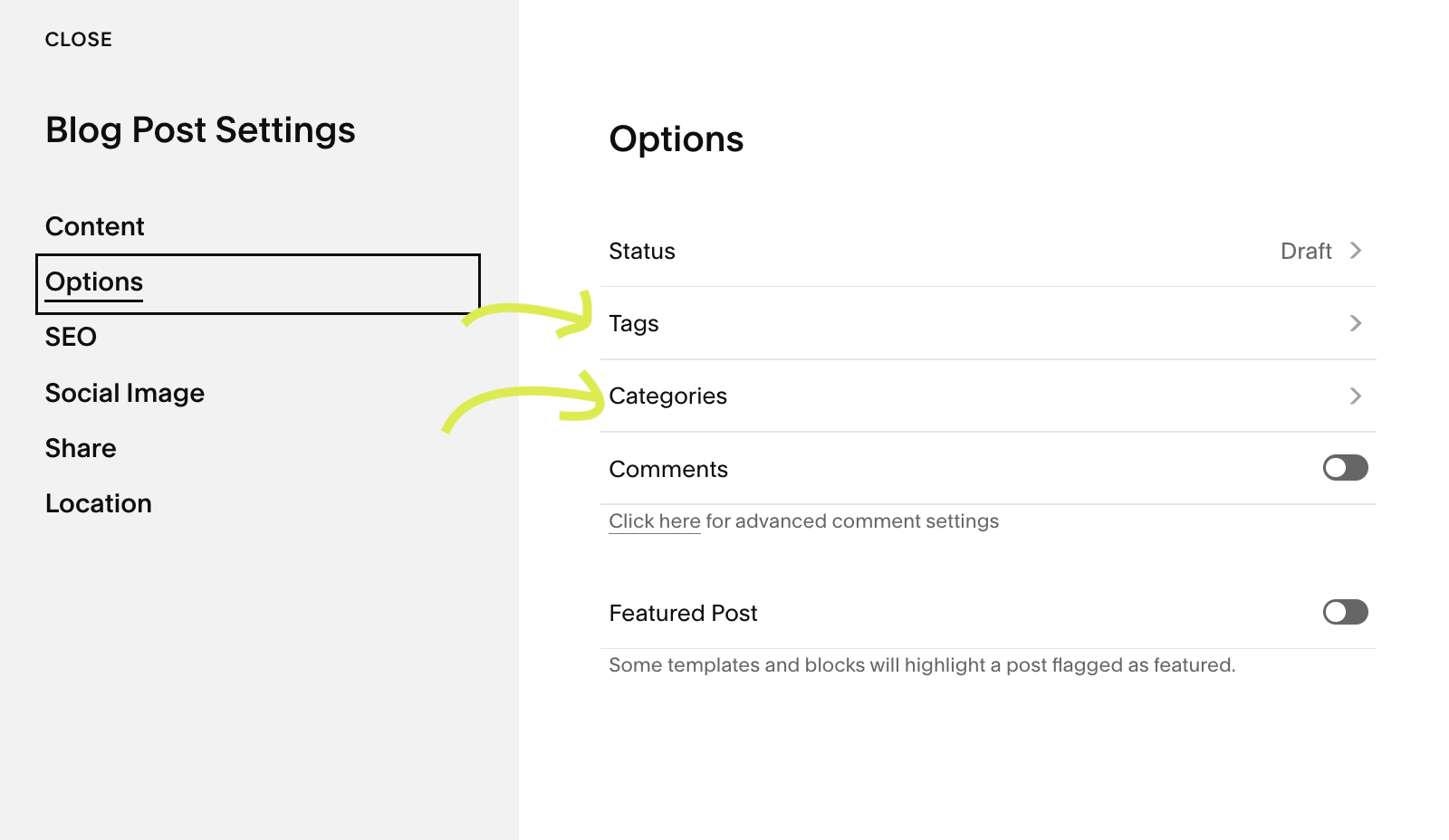
Squarespace allows you to assign categories and tags to blog posts. When a visitor clicks one of those, they’re taken to a filtered view showing only posts within that category.
So technically, filtering does exist.
What Squarespace Lets You Do
You can:
• Add categories to blog posts
• Add tags
• Display category links
• Create category archive pages
• Show a tag archive
For small blogs, this works fine.
But once your content grows, the cracks start to show.
Why Native Squarespace Blog Filtering Feels Limited
Here’s where things get frustrating.
1. It reloads the page every time
Clicking a category sends visitors to a new URL which reloads the page. There’s no instant filtering that shows results on the same page.
2. It looks basic
Category links are usually just text links on a dropdown archive block. Functional, yes. Inspiring, no.

3. You can’t combine filters
Visitors can’t refine results by selecting multiple categories or narrowing results dynamically. You can only select one filter at a time.
4. It doesn’t scale well
If you have lots of categories, the layout becomes cluttered quickly.
If you’re running:
• A resource hub
• A knowledge base
• A tutorial library
• A case study archive
Static category links start to feel clunky. And if we’re being honest, a bit dated.
What People Actually Mean When They Ask About Blog Filters
When someone searches for blog filtering in Squarespace, they’re rarely asking how to click a category link.
They’re usually trying to figure out how to:
• Let visitors narrow posts instantly
• Add proper filter buttons
• Avoid reloading the page every time
• Make their blog feel easier to explore
In other words, they’re looking for something more dynamic than the default category archive system. And that’s where Squarespace reaches its limit.
How to Add Dynamic Filtering to a Squarespace Blog
Instead of relying on static category archive pages, you can install a purpose built filter plugin designed specifically for Squarespace blog pages.
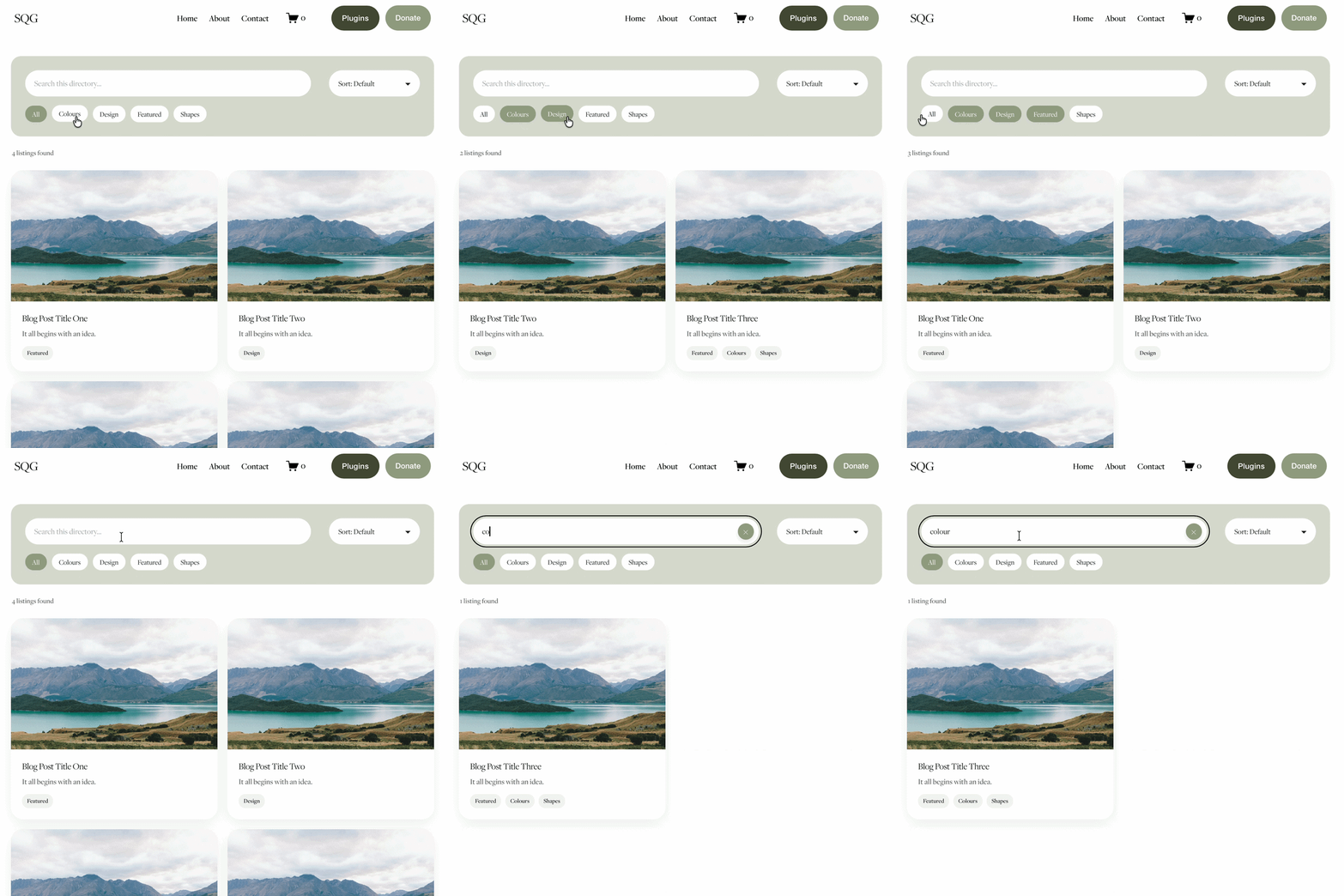
With the right solution, you can:
Add stylish filter buttons
Filter posts instantly without page reload
Keep visitors on the same page
Allow multiple filter selections
Maintain full design control
Install it in minutes
It enhances what Squarespace already does, but with a much bigger focus on user experience, so your visitors can browse more easily and explore more of your content.
There are two ways to add filtering to your Squarespace blog: using Squarespace's built-in categories, or using a filter plugin. Here's how each one works.
Method 1: Use Squarespace's Built-In Categories (Free, Basic)
This gives you simple category links. Each click loads a new page, but it's free and works on any blog.
Add categories to your posts. Open a blog post, go to its settings and add one or more categories, such as Tutorials or News. Repeat for each post.
Get each category's link. Go to your live blog, click a category on one of your posts, and copy the address from your browser bar.
Add category buttons to your blog page. Above your blog, add a row of buttons or text links, each linking to one of the category addresses you copied.
Or use an Archive Block. Add an Archive Block to your page and set it to list your blog's categories automatically.
The catch: every click reloads the page and takes visitors to a separate archive view, which is exactly the clunky experience most people want to avoid.
Method 2: Use a Squarespace Blog Filter Plugin (Instant, No Reload)
For a proper filter bar that updates your blog instantly, a plugin is the easiest route:
Add categories to your posts so there's something to filter by. It's the same as step 1 above.
Install the plugin. Copy and paste the code following the included setup guide. There's no coding knowledge needed.
Save and preview. Your blog now has a row of filter buttons, and clicking one instantly shows matching posts on the same page.
Style it to match your brand. Adjust the colours and button shapes so the filters fit your site.
You can see it working in the Blog Filter Demo, and get the Genius Squarespace Filter Plugin here.
Who Should Add Blog Filtering?
Filtering becomes especially valuable if:
• You publish regularly
• You organise content by topic
• You run campaigns or themed content
• You want visitors to find content faster
The more posts you have, the more filtering matters. It’s not about adding complexity. It’s about improving usability.
FAQs About Squarespace Blog Filtering
-
Yes, but only in a basic way. You can use categories and tags, which create archive pages. However, these reload the page and don’t offer dynamic filtering on the same page.
-
You can display category links or tags within your blog layout by using the archive block. For more interactive filtering, you’ll need a custom solution or a dedicated filter plugin.
-
Squarespace has static category and tag filtering, but it does not offer dynamic, multi select or instant filtering by default.
-
Yes. You can either use Squarespace’s built in tag and category options, or use a purpose built plugin that adds filtering functionality without needing complex custom development.
-
For small blogs, categories are fine. For larger content libraries, dynamic filtering improves navigation, user experience and content discovery.
-
Not natively. Squarespace's built-in category and tag links always load a new page. To filter posts instantly on the same page, you need a blog filter plugin or custom code.
My conclusion
Squarespace keeps things simple. That’s one of its strengths. But when your blog grows, native category filtering can feel restrictive.
If you want your content to feel easier to explore and more professional, adding dynamic filtering is one of the simplest upgrades you can make.
And it doesn’t require rebuilding your site or moving platforms.
You might also be interested in these super useful Squarespace Plugins:

Did I help you? Consider buying me a coffee as thanks!






Looking for an easy way to add filters to Squarespace?
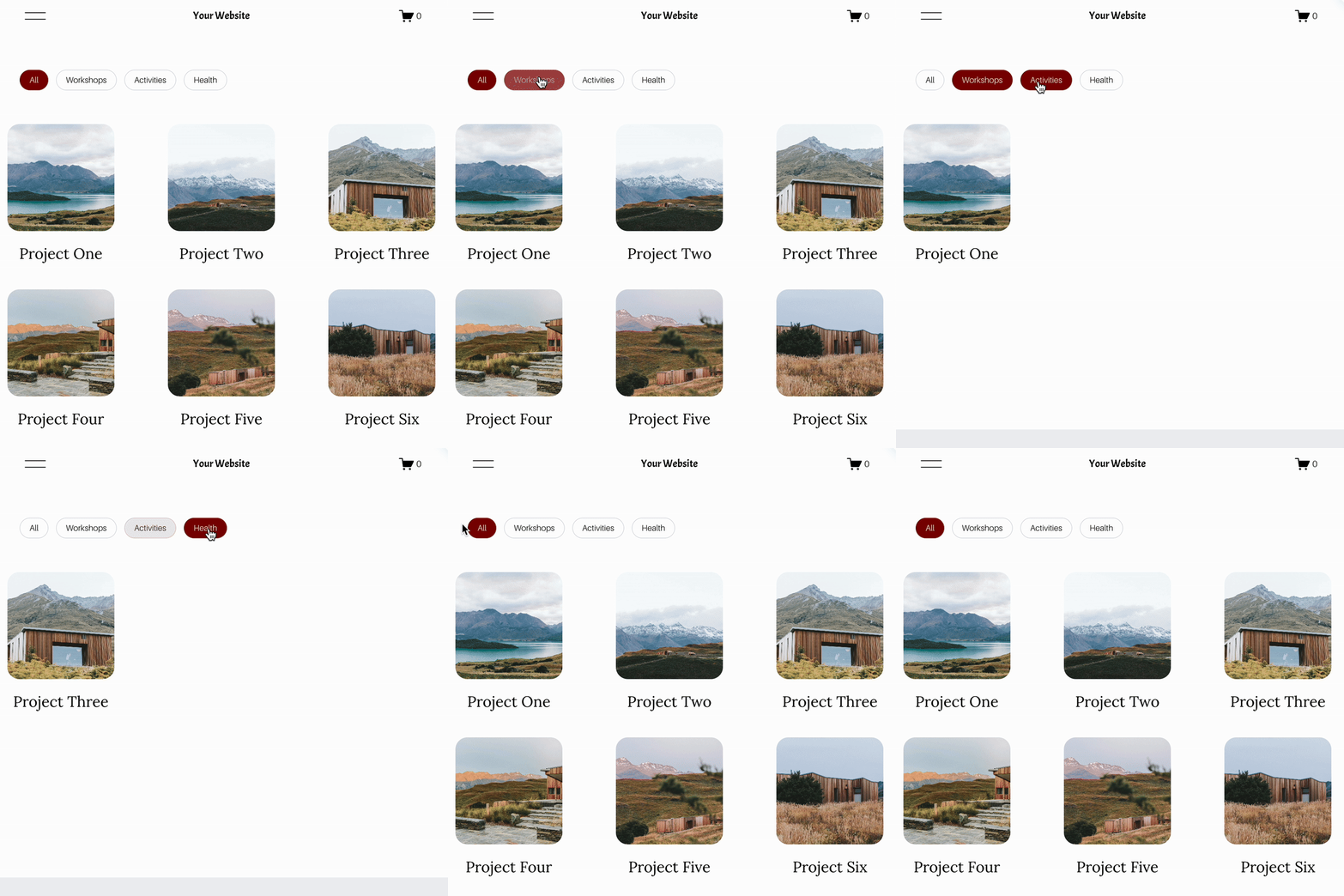
The Genius Squarespace Filter Plugin helps you turn busy portfolio pages, blogs, event pages and galleries into a cleaner, easier to browse experience.
Visitors can quickly filter your content by category, topic, service, location, resource type or any labels you choose, instead of scrolling through everything.
Perfect for portfolios, blog archives, event listings, galleries (grid, masonry & strips only) resource hubs and larger content collections, this plugin gives your visitors a smoother way to explore your content without the cost or complexity of custom development.
Portfolio Filter Demo ➜
NEW Advanced Dropdown Portfolio Filter Demo ➜
Gallery Filter Demo ➜
Blog Filter Demo ➜
Event Filter Demo ➜
Key Features:
Simple to install and customise
Filter options for portfolio pages, galleries, blogs and events
Includes the new advanced dropdown portfolio filter
Ideal for Squarespace sites needing more in depth filtering options with a simple user experience
Beginner friendly setup with copy and paste instructions
Designed for Squarespace 7.1 websites