

How to Show More Squarespace Blog Posts on One Page

How to Show More Squarespace Blog Posts on One Page
If you’re creating regular Squarespace blog posts, you’ve probably noticed that your Squarespace blog page only displays a limited number of posts at a time.
That’s fine for some websites. But if you’re building a content rich resource hub, improving SEO, or making it easier for visitors to browse older posts, you may want to show more Squarespace blog posts on one page.
In this guide, I’ll show you exactly how to do that using a simple code injection method and how to adjust the quantity of posts displayed. I’ll also share a smarter way to organise large blogs using filters.
Why Show More Squarespace Blog Posts on One Page?
Displaying more Squarespace blog posts on a single page can:
Improve internal linking
Increase time on site
Help Google crawl more of your content
Create a stronger resource style Squarespace blog page
Make it easier for visitors to discover older posts
If you're looking to add blog to Squarespace website and turn it into a proper content marketing machine, this small tweak can make a big difference.
How to Show More Squarespace Blog Posts on One Page
By default, your Squarespace blog page paginates posts. The code below automatically loads additional posts from the “Older Posts” link and appends them to the page.
Step 1: Go to Blog Page Settings
Go to Pages
Click the gear icon next to your blog page
Navigate to Advanced
Add the code below into Page Header Code Injection
Step 2: Add This Code:
<script src="https://ajax.googleapis.com/ajax/libs/jquery/3.7.1/jquery.min.js"></script>
<script>
$(document).ready(function() {
let currentItemCount = $('.blog-basic-grid--container').length;
const targetItemCount = 60;
function loadMoreItems() {
const olderPostsLink = $('.blog-list-pagination .older a').attr('href');
if (olderPostsLink && currentItemCount < targetItemCount) {
$.get(olderPostsLink, function(data) {
const newItems = $(data).find('.blog-basic-grid--container');
const newPaginationLink = $(data).find('.blog-list-pagination .older a').attr('href');
newItems.each(function() {
if (currentItemCount < targetItemCount) {
$('.blog-basic-grid').append($(this));
currentItemCount++;
}
});
if (newPaginationLink && currentItemCount < targetItemCount) {
$('.blog-list-pagination .older a').attr('href', newPaginationLink);
loadMoreItems();
} else {
$('.blog-list-pagination').hide();
}
}).fail(function() {
console.log('Không thể load thêm bài viết');
$('.blog-list-pagination').hide();
});
} else {
$('.blog-list-pagination').hide();
}
}
loadMoreItems();
});
</script>
<style>
article.blog-basic-grid--container.entry.blog-item {
opacity: 1 !important;
}
nav.blog-list-pagination {
order: 500;
display: block !important;
}
</style>
How to Change the Quantity of Squarespace Blog Posts Shown
Inside the code, you’ll see this line:
const targetItemCount = 60;
This number controls how many Squarespace blog posts will load on your Squarespace blog page.
To change the amount:
Change
60to any number you like.For example:
30for 30 posts100for 100 posts
Tip: Be careful not to set it too high, as loading too many Squarespace blog posts at once can affect page speed, especially if you use large images.
What This Means for SEO
When you display more Squarespace blog posts on one page:
Google can crawl more content in fewer clicks
Internal linking improves
Your Squarespace blog page becomes more authoritative
Users can discover related content more easily
If you're planning to add blog to Squarespace, optimising how posts display should be part of your strategy from day one.
Want to Take It Further? Add Blog Filtering
Showing more Squarespace blog posts is powerful.
But if you have categories, tags, or multiple content themes, things can quickly become overwhelming for users.
That’s where filtering comes in.
If you want a proper Squarespace blog filter, I created something specifically for that:
Genius Squarespace Filter Plugin
My Genius Squarespace Filter Plugin allows visitors to filter blog posts instantly by category without reloading the page.
Perfect if you:
Run a large content library
Want a better Squarespace blog page experience
Need a clean UX for charity, business, or content heavy websites
Want advanced filtering without custom development:
Pairing this with showing more Squarespace blog posts gives you both volume and usability.
Not only that, the Genius Squarespace Filter Plugin also includes filtering for portfolio pages and event pages too, which helps you get a much better user experience across your website content.
Final Thoughts
If you're serious about using Squarespace blog posts to grow traffic, build authority, and improve SEO, controlling how many posts appear on your Squarespace blog page is essential.
This simple code injection allows you to:
Display more posts
Improve user experience
Strengthen internal linking
Make better use of your content
And if you're building a bigger content hub or planning to add blog to Squarespace website, combining this method with a Squarespace blog filter will create a far more powerful and user friendly setup.
Did I help you? Consider buying me a coffee as thanks!
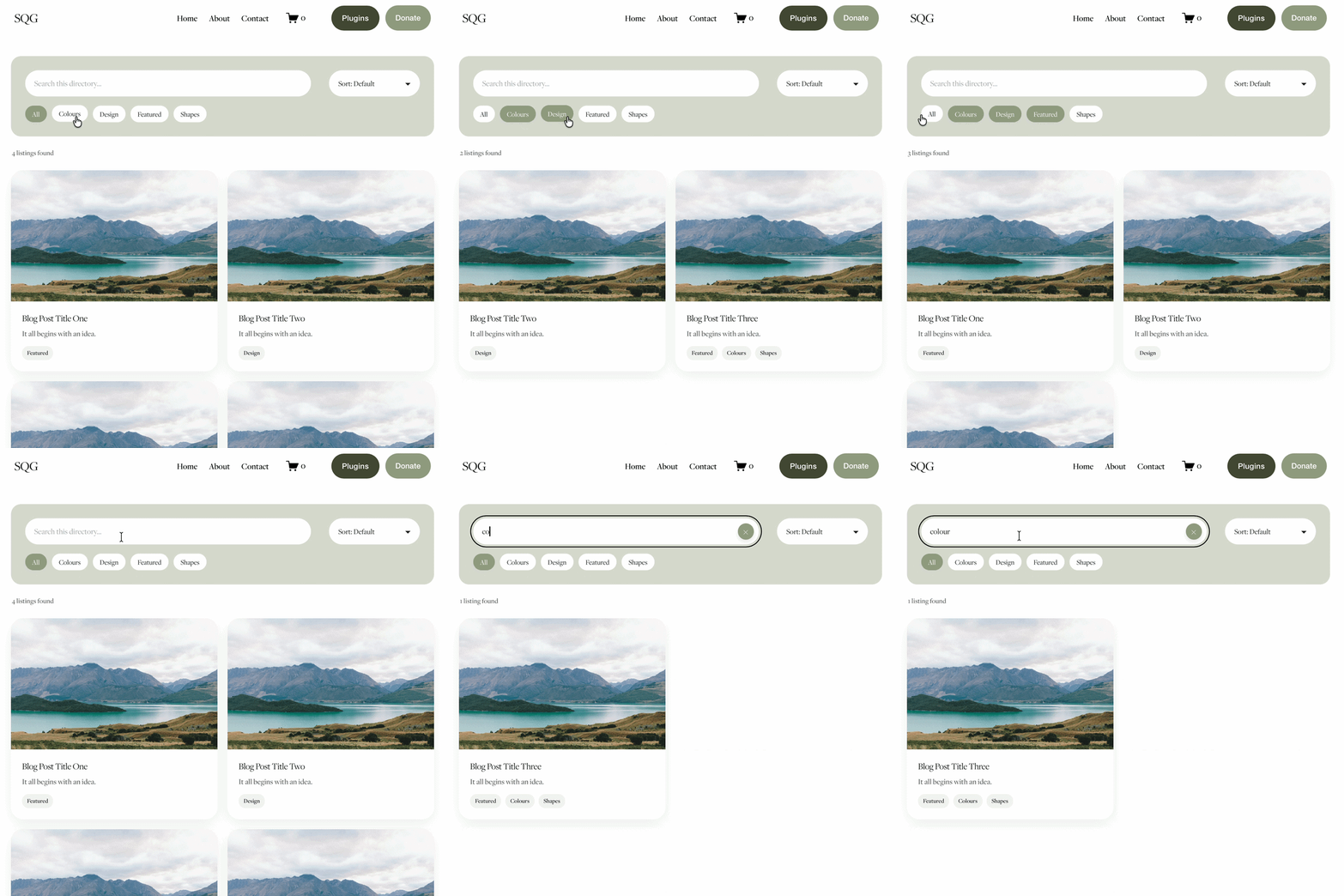

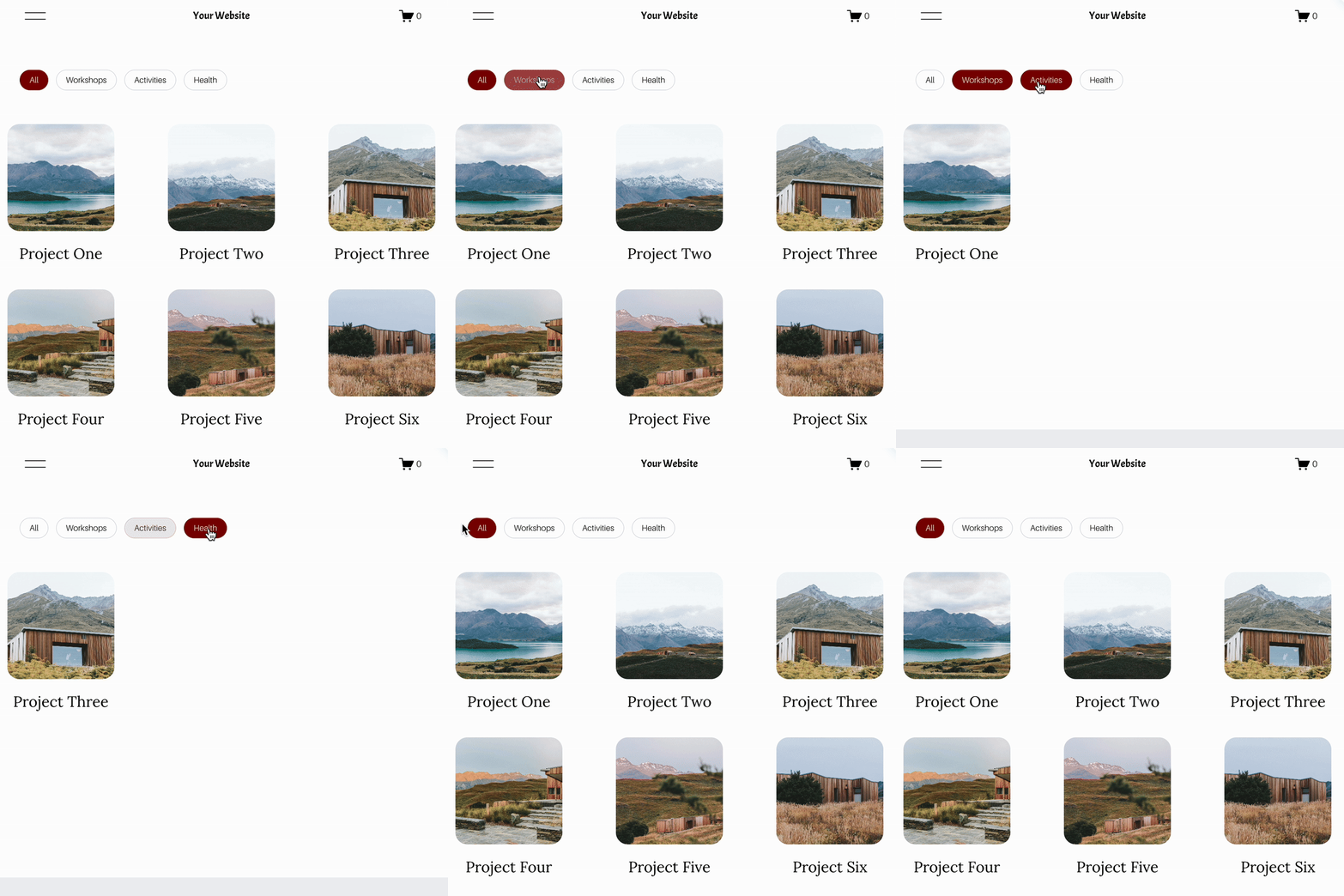
Looking for an easy way to add filters to Squarespace?
The Genius Squarespace Filter Plugin helps you turn busy portfolio pages, blogs, event pages and galleries into a cleaner, easier to browse experience.
Visitors can quickly filter your content by category, topic, service, location, resource type or any labels you choose, instead of scrolling through everything.
Perfect for portfolios, blog archives, event listings, galleries (grid, masonry & strips only) resource hubs and larger content collections, this plugin gives your visitors a smoother way to explore your content without the cost or complexity of custom development.
NEW Advanced Dropdown Portfolio Filter Demo ➜
Key Features:
Simple to install and customise
Filter options for portfolio pages, galleries, blogs and events
Includes the new advanced dropdown portfolio filter
Ideal for Squarespace sites needing more in depth filtering options with a simple user experience
Beginner friendly setup with copy and paste instructions
Designed for Squarespace 7.1 websites







Looking for an easy way to add filters to Squarespace?
The Genius Squarespace Filter Plugin helps you turn busy portfolio pages, blogs, event pages and galleries into a cleaner, easier to browse experience.
Visitors can quickly filter your content by category, topic, service, location, resource type or any labels you choose, instead of scrolling through everything.
Perfect for portfolios, blog archives, event listings, galleries (grid, masonry & strips only) resource hubs and larger content collections, this plugin gives your visitors a smoother way to explore your content without the cost or complexity of custom development.
Portfolio Filter Demo ➜
NEW Advanced Dropdown Portfolio Filter Demo ➜
Gallery Filter Demo ➜
Blog Filter Demo ➜
Event Filter Demo ➜
Key Features:
Simple to install and customise
Filter options for portfolio pages, galleries, blogs and events
Includes the new advanced dropdown portfolio filter
Ideal for Squarespace sites needing more in depth filtering options with a simple user experience
Beginner friendly setup with copy and paste instructions
Designed for Squarespace 7.1 websites