How to Filter a Squarespace Gallery Section
This guide shows you how to add a Squarespace gallery filter step by step.
Quick Answer: Squarespace gallery sections (Grid: Simple, Grid: Masonry, and Strips layouts)don't have built-in category filtering, and this is a different feature from Gallery Blocks. To filter a gallery section by category, you need a filter plugin built specifically to work with sections rather than blocks — the Genius Filter Plugin adds this functionality across all three of these layout styles.
Can You Filter a Squarespace Gallery Section?
Not natively, no. Squarespace's Grid: Simple, Grid: Masonry, and Strips gallery sections are built for browsing, not sorting - there's no toggle in the section editor for category filters, tags-based filtering, or "show only" buttons.
This trips a lot of people up because it looks like it should be possible — Squarespace already lets you filter blog posts, events, and products. Galleries just weren't built the same way.
Gallery Section vs. Gallery Block: Why It Matters for Filtering
This is the bit that causes the most confusion, so it's worth being precise about:
Gallery Blocks live inside a page's content area (blog posts, product descriptions, etc.) and can be filtered with a block-specific plugin.
Gallery Sections are full-width, standalone sections you add directly to a page - Grid: Simple, Grid: Masonry, and Strips are all section layouts, not blocks.
If you've already tried a gallery filter plugin and it didn't work, there's a good chance it was built for blocks, not sections - and the two aren't interchangeable under the hood.
Why Filter a Gallery Section?
If you're running a Grid or Masonry section with more than a handful of images, filtering makes a real difference:
Visitors can jump straight to the category they care about, instead of scrolling
Portfolios feel more organised and professional
It keeps a single clean gallery section instead of splitting content across multiple pages
Reduces bounce on image-heavy pages, especially on mobile
How to Add Filtering to a Grid, Masonry, or Strips Gallery Section
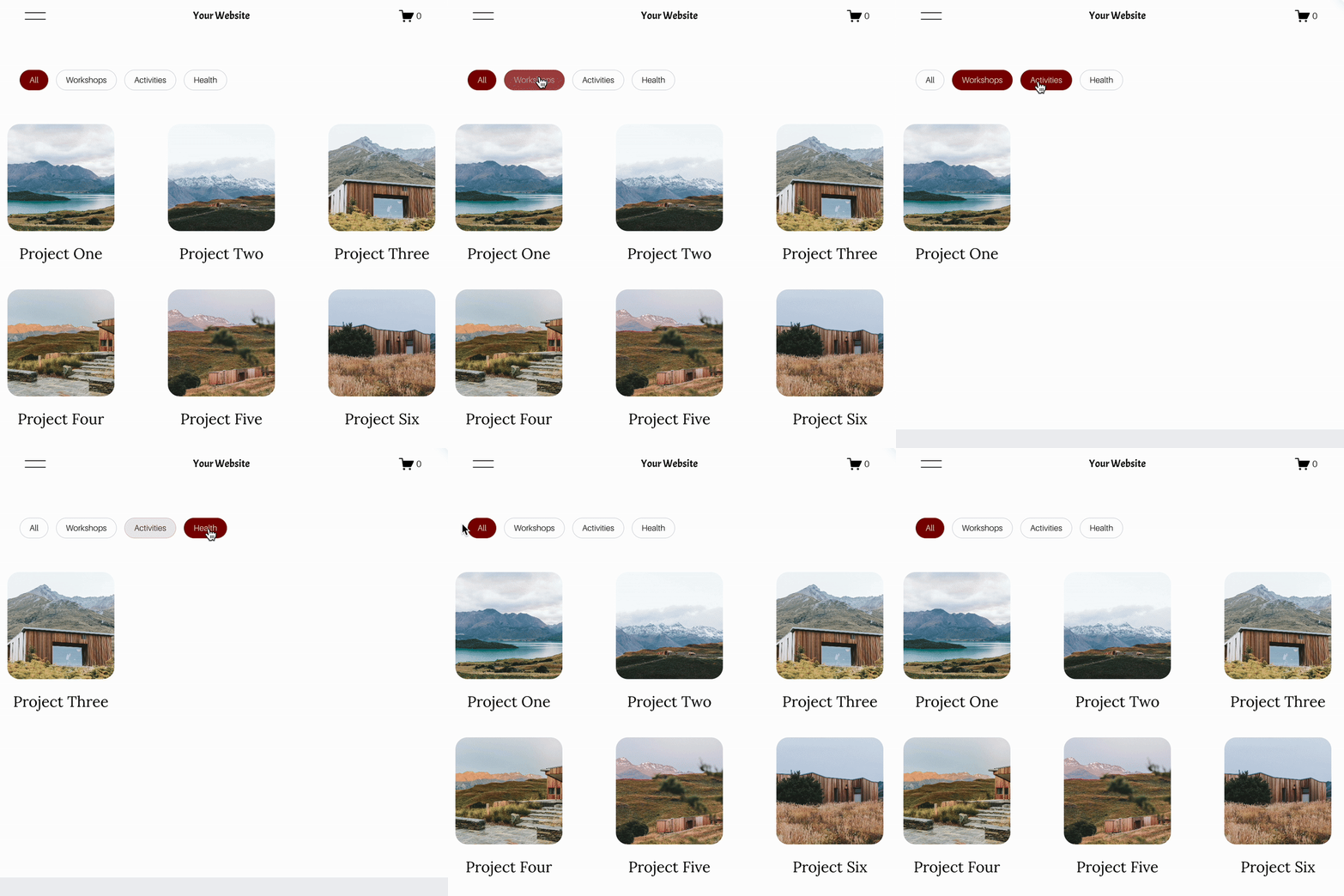
With the Genius Filter Plugin , the setup follows the same pattern as filtering anywhere else on your site:
Tag each image with a category label
Add filter buttons above your gallery section
Visitors click a button and the section updates instantly to show only matching images
It works across Grid: Simple, Grid: Masonry, and Strips layouts, so you're not locked into one section style to get filtering.
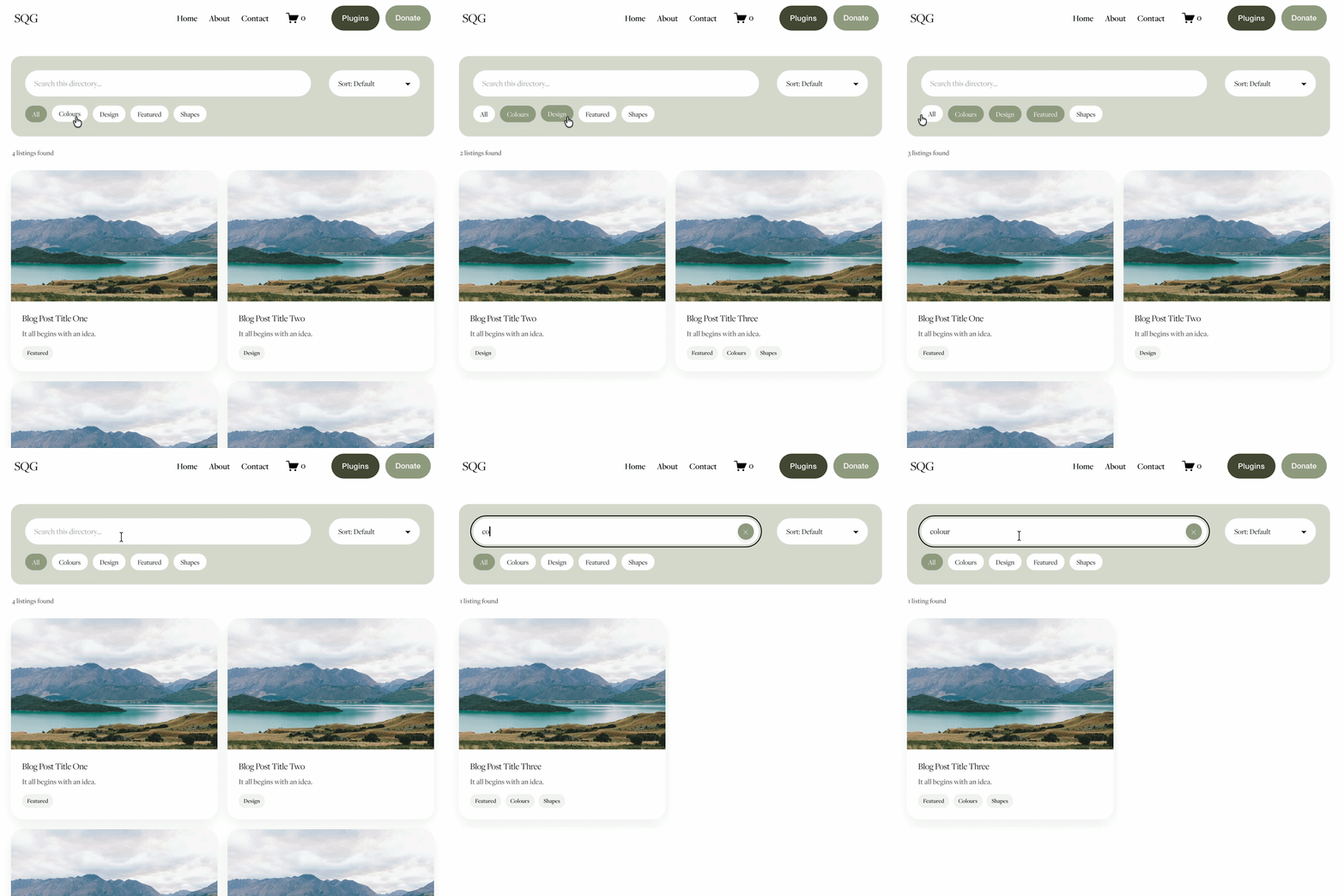
If you only need to filter one gallery block, the dedicated Gallery Block Filter Plugin is the cheaper, simpler option. If your gallery is a full section (or you want filtering across more than just images), the Genius Filter Plugin is the one that covers it.
Who Is This Best For?
Photographers and designers using Grid or Masonry sections for portfolios
Charities and nonprofits showcasing project or event photos in a Strips layout
Agencies displaying client work across a full-width gallery section
Anyone who's already tried a gallery filter plugin and found it didn't work because it was built for blocks, not sections
FAQS
-
Not natively. Squarespace doesn't include built-in filtering for Grid: Simple, Grid: Masonry, or Strips gallery sections. You need a plugin built to work with sections specifically.
-
Yes, the Genius Filter Plugin supports filtering on Grid: Masonry sections as well as Grid: Simple and Strips.
-
Gallery Blocks sit inside a page's content area and need a block-specific filter plugin. Gallery Sections are full-width standalone sections and need a plugin built for sections — the two aren't interchangeable.
-
No. Use the Gallery Filter Plugin if you only need to filter a single Gallery Block. Use the Genius Filter Plugin if you're filtering a Gallery Section, or if you want filtering across portfolios, blogs, and events too.
-
No - filtering only controls which images are visible in the grid. The lightbox will still only show the images matching the active filter.

Hi, I'm Toni.
My mission is to create powerful websites for charities, non profits and purpose-led organisations... I am also a CSS enthusiast and love to create cool plugins for Squarespace websites.
You may also be interested in:


You might also be interested in these super useful Squarespace Plugins:

Did I help you? Consider buying me a coffee as thanks!