

How to Add Filters to a Squarespace Portfolio Page
Quick Summary: Squarespace Portfolio Filtering
Can you filter a Squarespace portfolio natively?
No. Current Squarespace portfolio collections do not include categories or tags that can be used for filtering.
What does this mean for your site?
Visitors must scroll through all projects, as there is no built in filtering interface.
How can you add filtering?
By enhancing your portfolio page with a dedicated filtering solution that adds a styled, interactive filter bar to your projects.
How to Add Filters to a Squarespace Portfolio Page
If you’re using Squarespace to showcase your work, you may have noticed something slightly limiting.
There’s currently no built in way to filter portfolio items.
Unlike blog or event collections, portfolio pages don’t allow you to assign categories or tags that can be used for filtering. That means there’s no archive system running in the background and no native filtering interface for visitors to interact with.
For smaller portfolios this might not matter. But once your collection of projects starts to grow, scrolling through everything quickly becomes frustrating. Visitors may struggle to find relevant work, and your portfolio can begin to feel harder to navigate than it should.
And when your portfolio is one of your strongest conversion tools, usability matters.
What Squarespace Allows on Portfolio Pages
Squarespace makes it easy to create portfolio collections and display projects in grid or list layouts. You can customise the design, control spacing, adjust image ratios and build beautifully presented project pages.
What it does not currently provide is a structured way to group projects for filtering. There are no category fields, no tags and no archive URLs that allow visitors to narrow down projects by type.
So while the visual presentation is strong, the organisational functionality is limited.
Why This Becomes an Issue as Your Portfolio Grows
As your body of work expands, visitors typically want to see projects that are relevant to them. A branding client may only want to see identity projects. A web client may want to browse websites. An interiors client may want to see residential rather than commercial work.
Without filtering, everyone sees everything. That means more scrolling, more effort and sometimes missed opportunities. The navigation starts to feel less intentional and more like a long list of projects.
For designers, photographers and agencies, that polish matters. The way your work is organised says as much as the work itself.
How to Add Filtering to a Squarespace Portfolio
Because portfolio pages don’t include native filtering, the only way to introduce it is by layering in additional functionality.
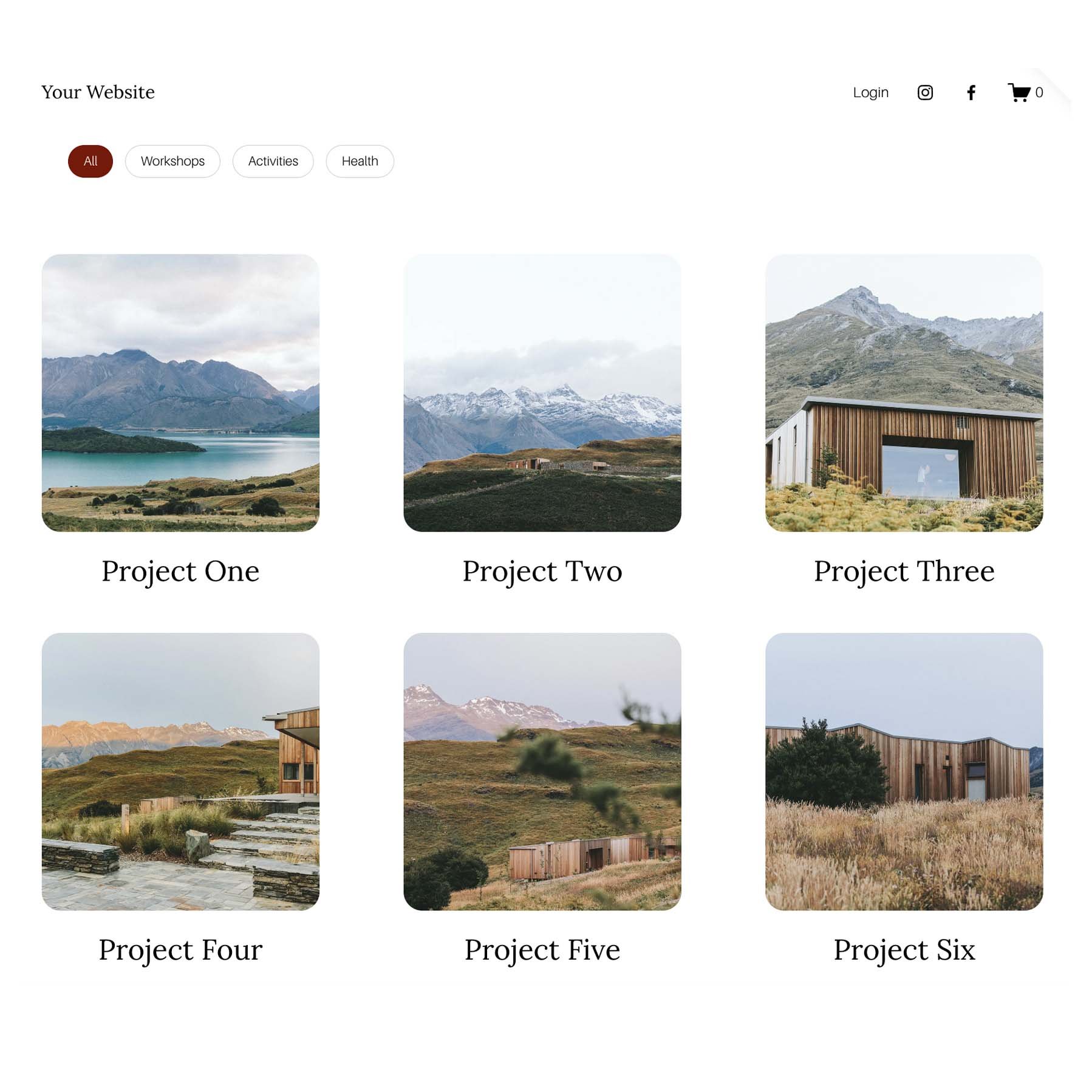
The Genius Squarespace Filter Plugin works alongside your existing portfolio structure and creates a clean filtering interface directly on the page. Rather than relying on categories, it allows you to define filter groupings and present them as styled buttons.
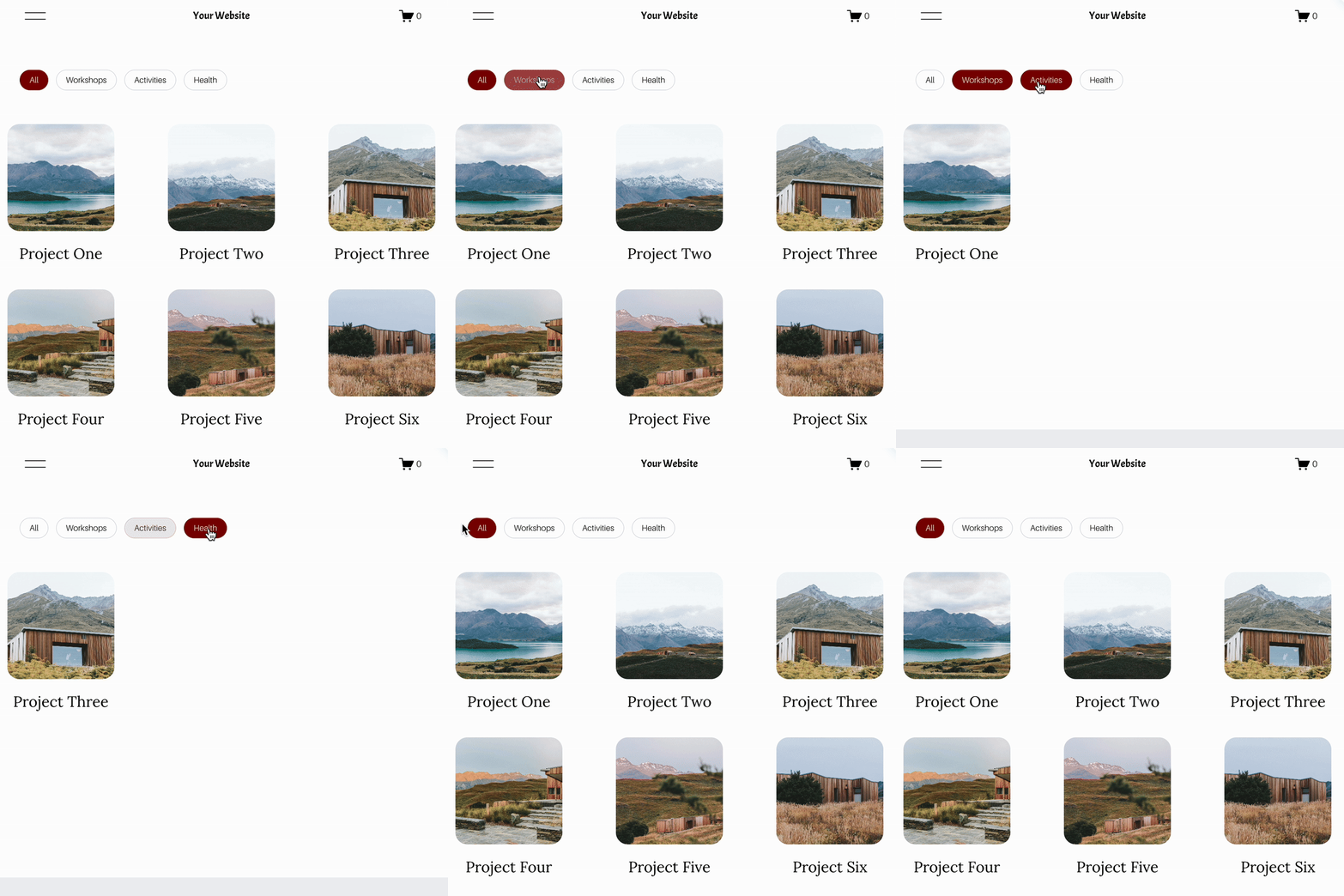
The result feels integrated into your design. Projects update clearly when a filter is selected, and visitors can narrow results without leaving the page.
Installation involves adding a small code snippet, but no advanced development knowledge is required.
If you’d like to see it in action first, here’s a live demo
Notice how the filters feel like part of the design rather than an afterthought. The layout remains clean, and the browsing experience becomes more intentional. It’s a subtle upgrade, but one that significantly improves usability.
When Portfolio Filtering Makes the Biggest Difference
Filtering becomes especially valuable once your portfolio reaches a certain size. If you’re showcasing multiple service types or working across different industries, giving visitors a way to narrow results quickly makes the experience feel more professional.
For designers, photographers and agencies, that polish matters. The way your work is presented says as much as the work itself.
If you’re already using Squarespace portfolio collections and want to enhance them without switching platforms, adding a modern filtering interface is one of the simplest upgrades you can make.
You can explore the full plugin features here
Final Thoughts
Squarespace portfolio pages are visually powerful but structurally limited when it comes to filtering.
There is currently no native way to organise projects into filterable categories, which means growing portfolios can become harder to explore over time.
If you want your work to feel easier to navigate and more refined, adding a modern filtering interface is a smart improvement. It keeps your design intact while giving visitors a clearer path to the projects that matter to them.
You can explore the full details of the Genius Squarespace Filter Plugin here:
https://www.thesquaregenius.com/squarespace-plugins/p/genius-squarespace-filter-plugin
It doesn’t replace Squarespace. It simply enhances how people experience your work.
You might also be interested in these super useful Squarespace Plugins:

Did I help you? Consider buying me a coffee as thanks!

Looking for an easy way to add filters to Squarespace?
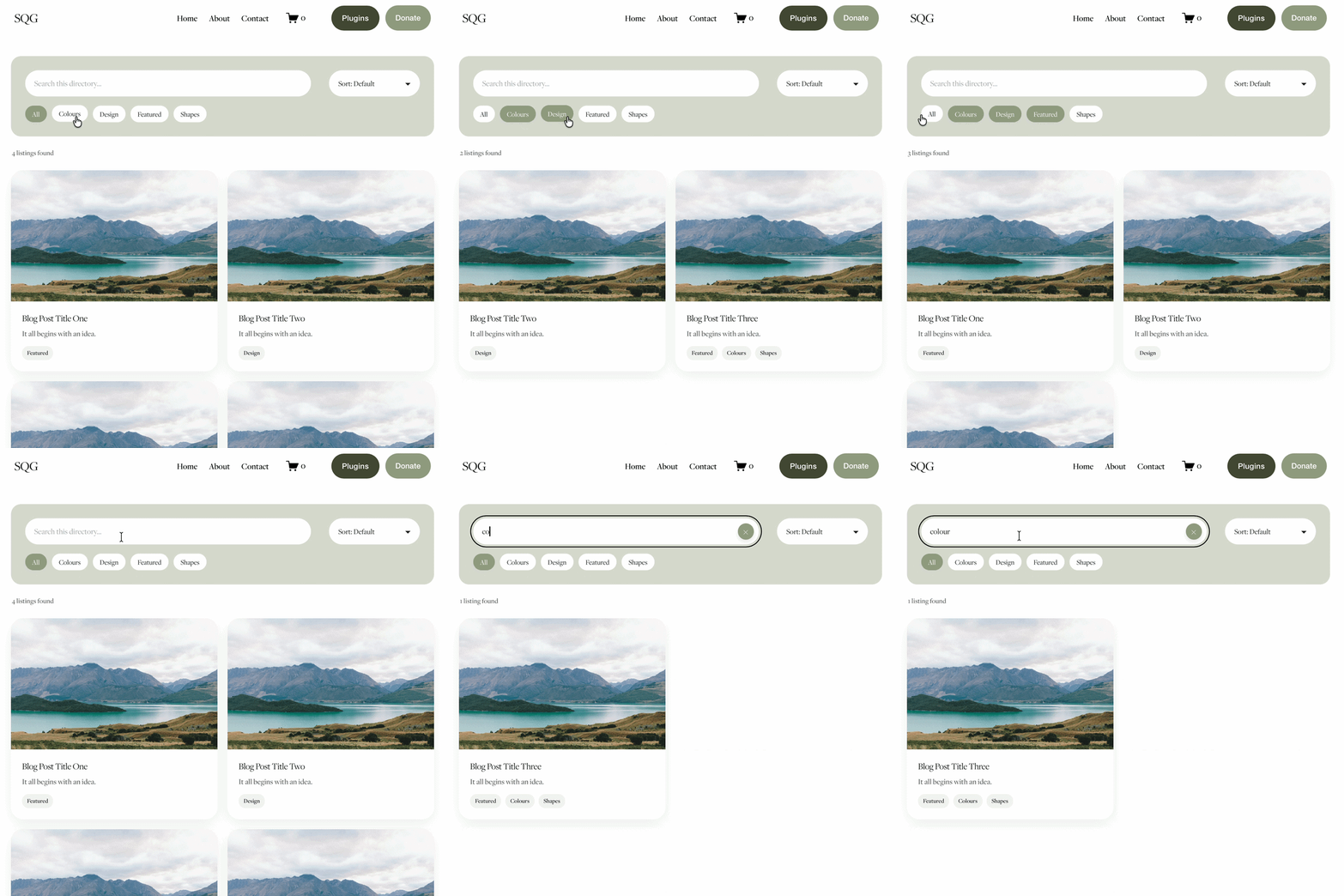
The Genius Squarespace Filter Plugin helps you turn busy portfolio pages, blogs, event pages and galleries into a cleaner, easier to browse experience.
Visitors can quickly filter your content by category, topic, service, location, resource type or any labels you choose, instead of scrolling through everything.
Perfect for portfolios, blog archives, event listings, galleries (grid, masonry & strips only) resource hubs and larger content collections, this plugin gives your visitors a smoother way to explore your content without the cost or complexity of custom development.
Portfolio Filter Demo ➜
NEW Advanced Dropdown Portfolio Filter Demo ➜
Gallery Filter Demo ➜
Blog Filter Demo ➜
Event Filter Demo ➜
Key Features:
Simple to install and customise
Filter options for portfolio pages, galleries, blogs and events
Includes the new advanced dropdown portfolio filter
Ideal for Squarespace sites needing more in depth filtering options with a simple user experience
Beginner friendly setup with copy and paste instructions
Designed for Squarespace 7.1 websites