 Image 1 of 5
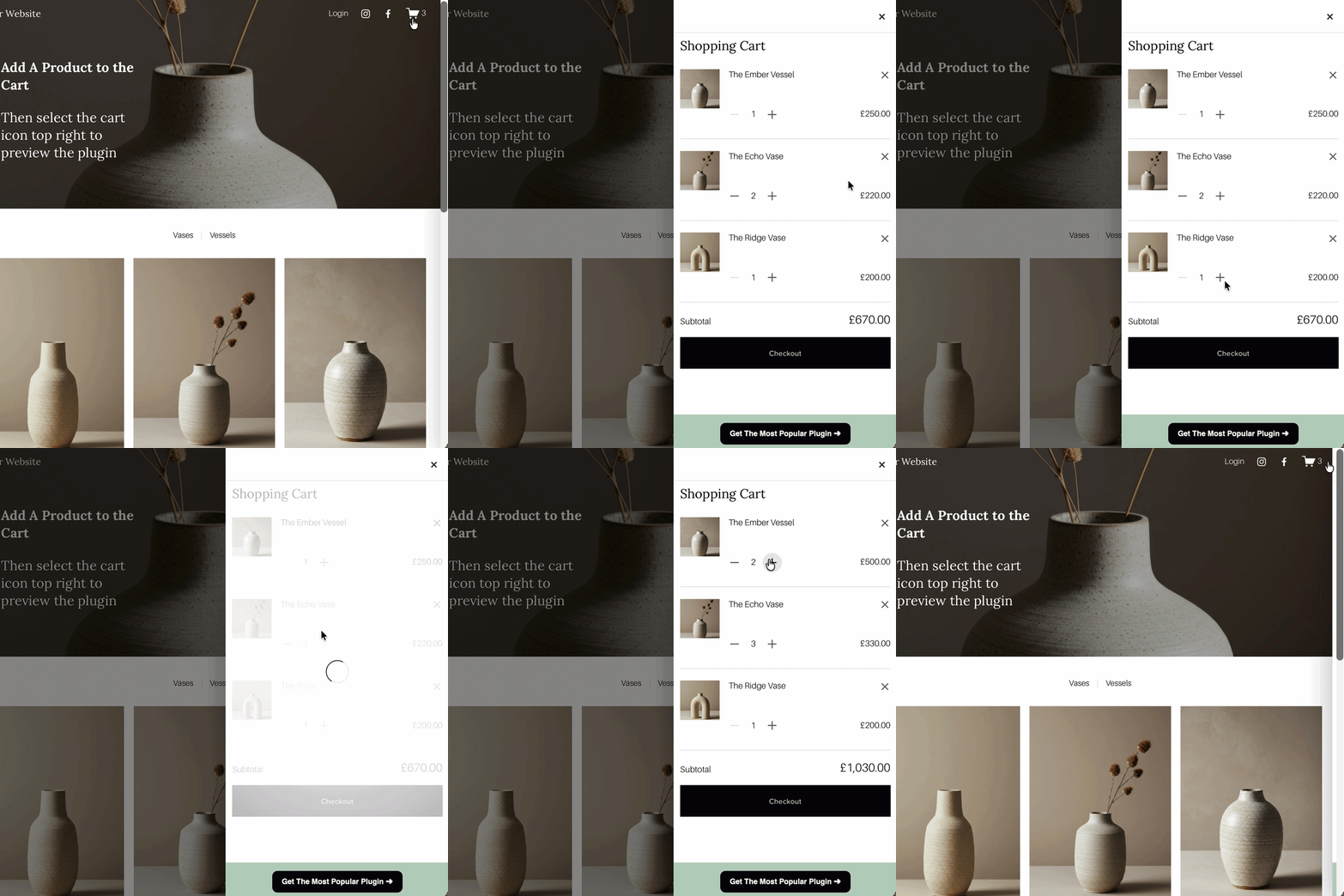 Image 2 of 5
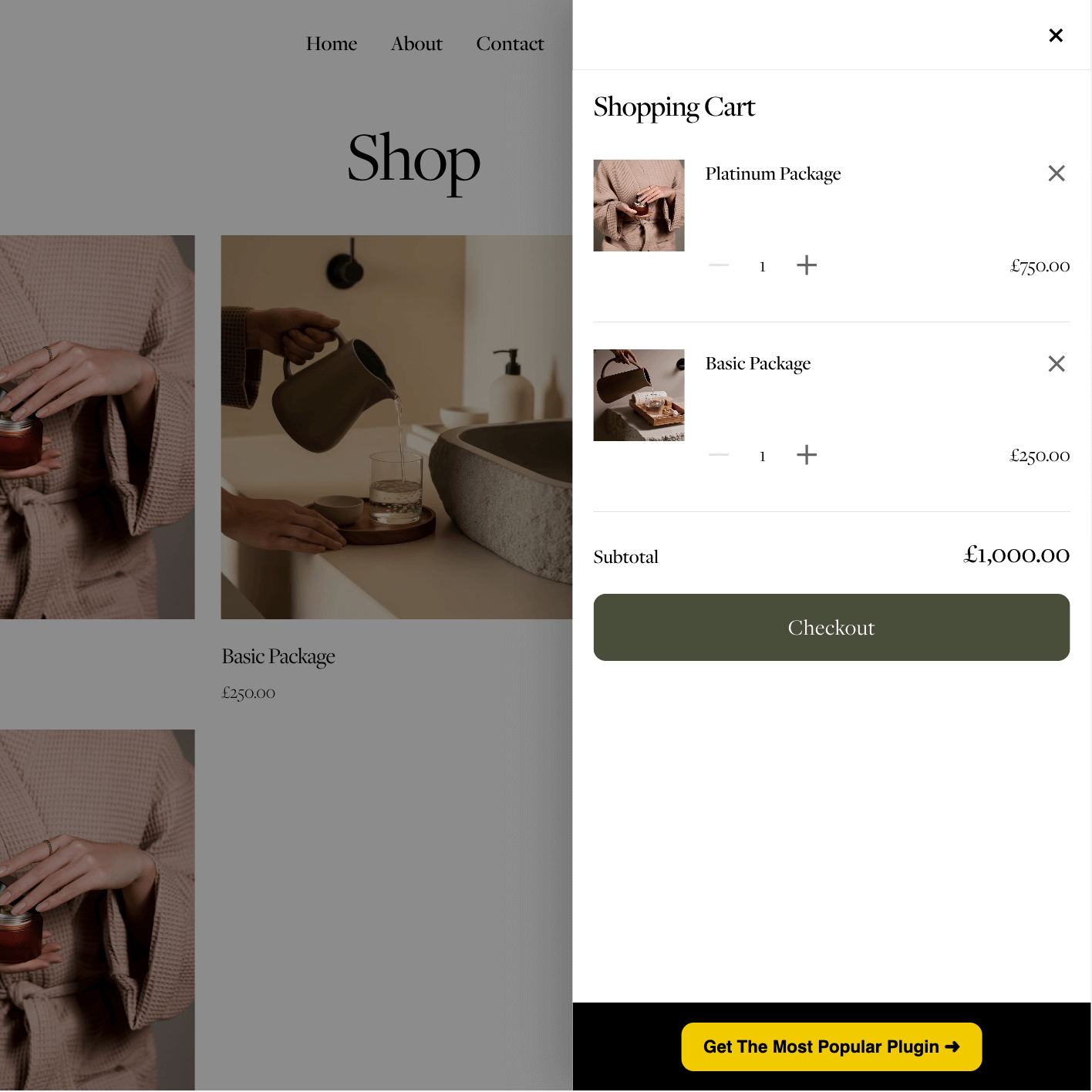 Image 3 of 5
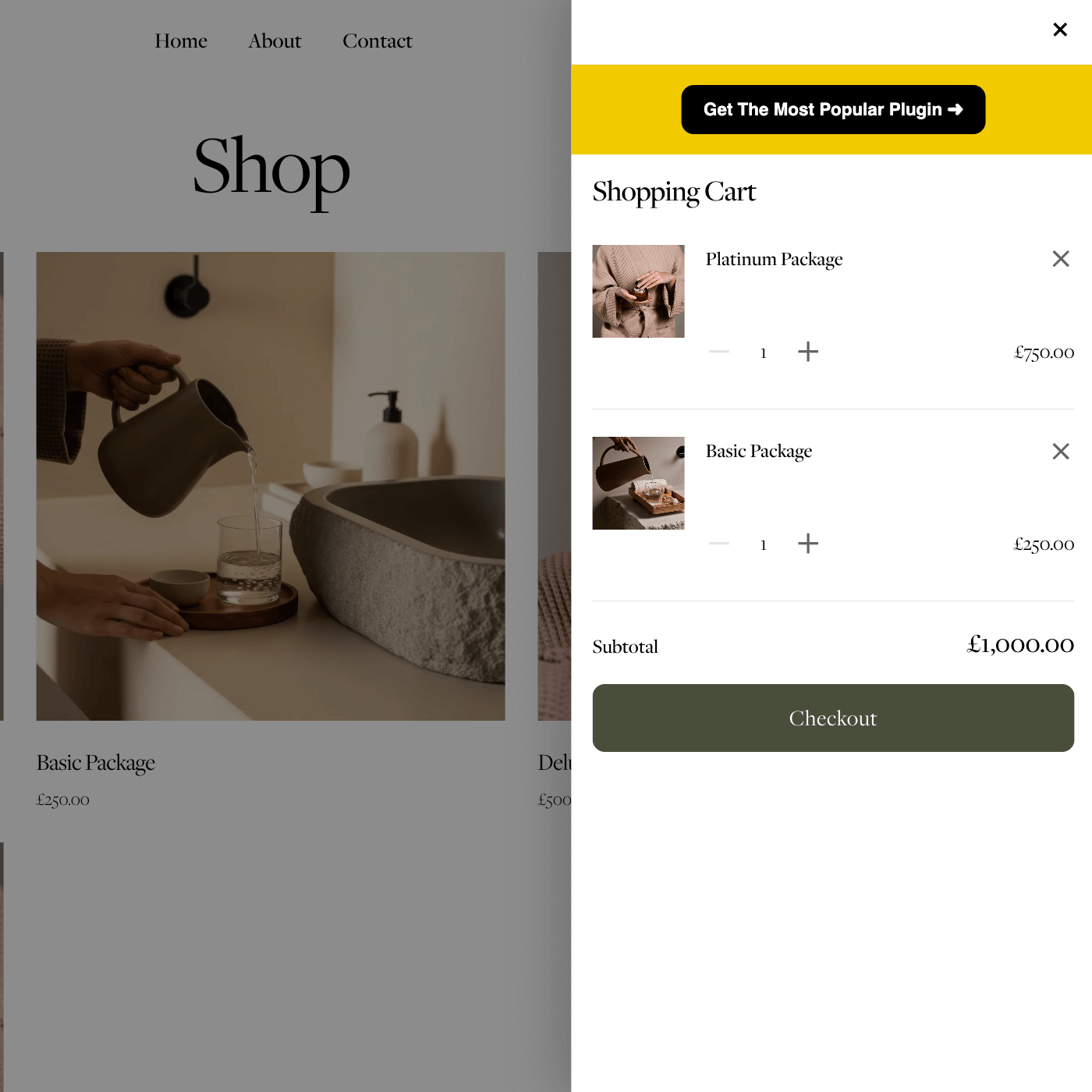 Image 4 of 5
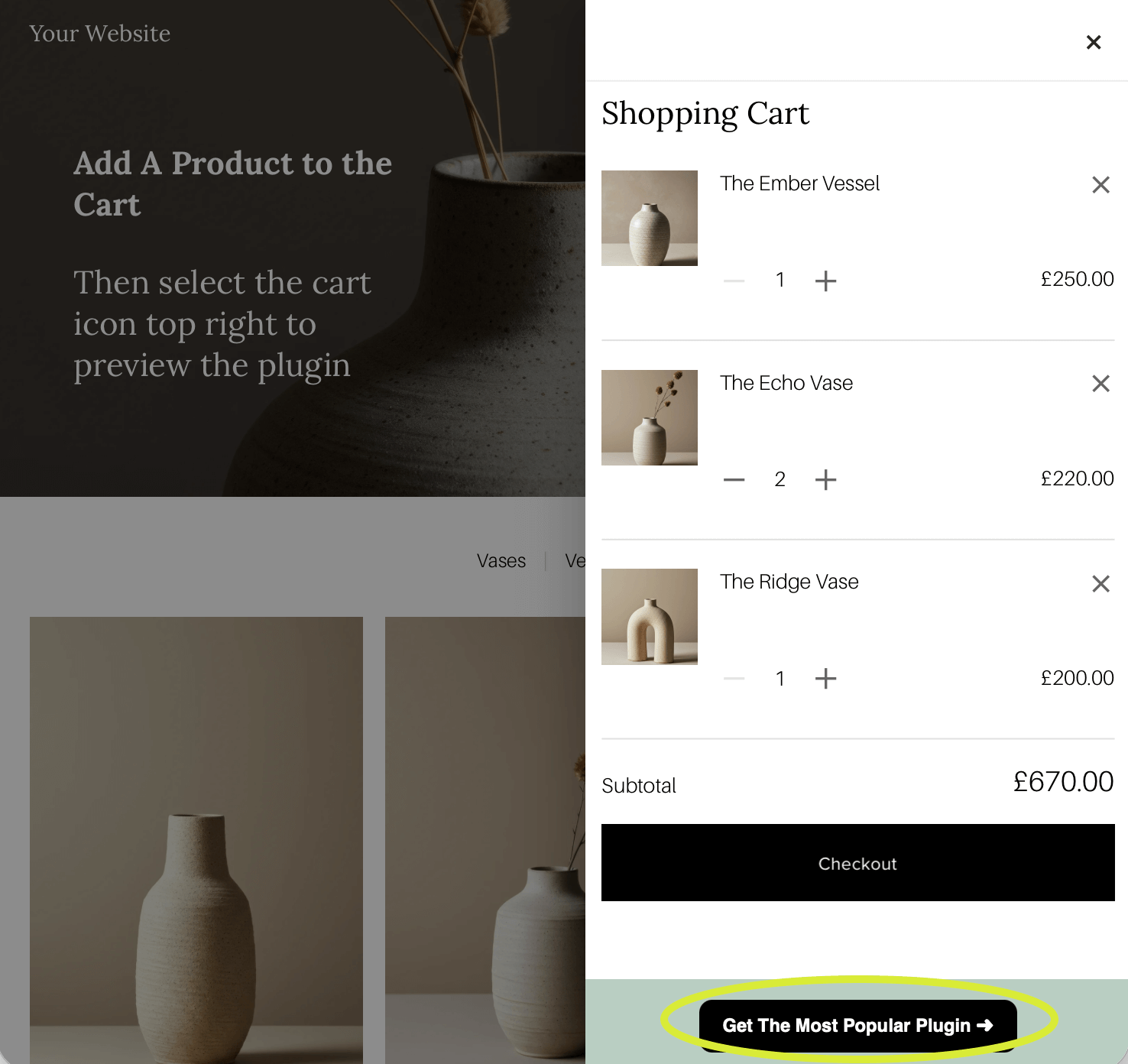 Image 5 of 5
Squarespace Shopping Cart Slider Plugin


Why Upgrade Your Squarespace Shopping Cart?
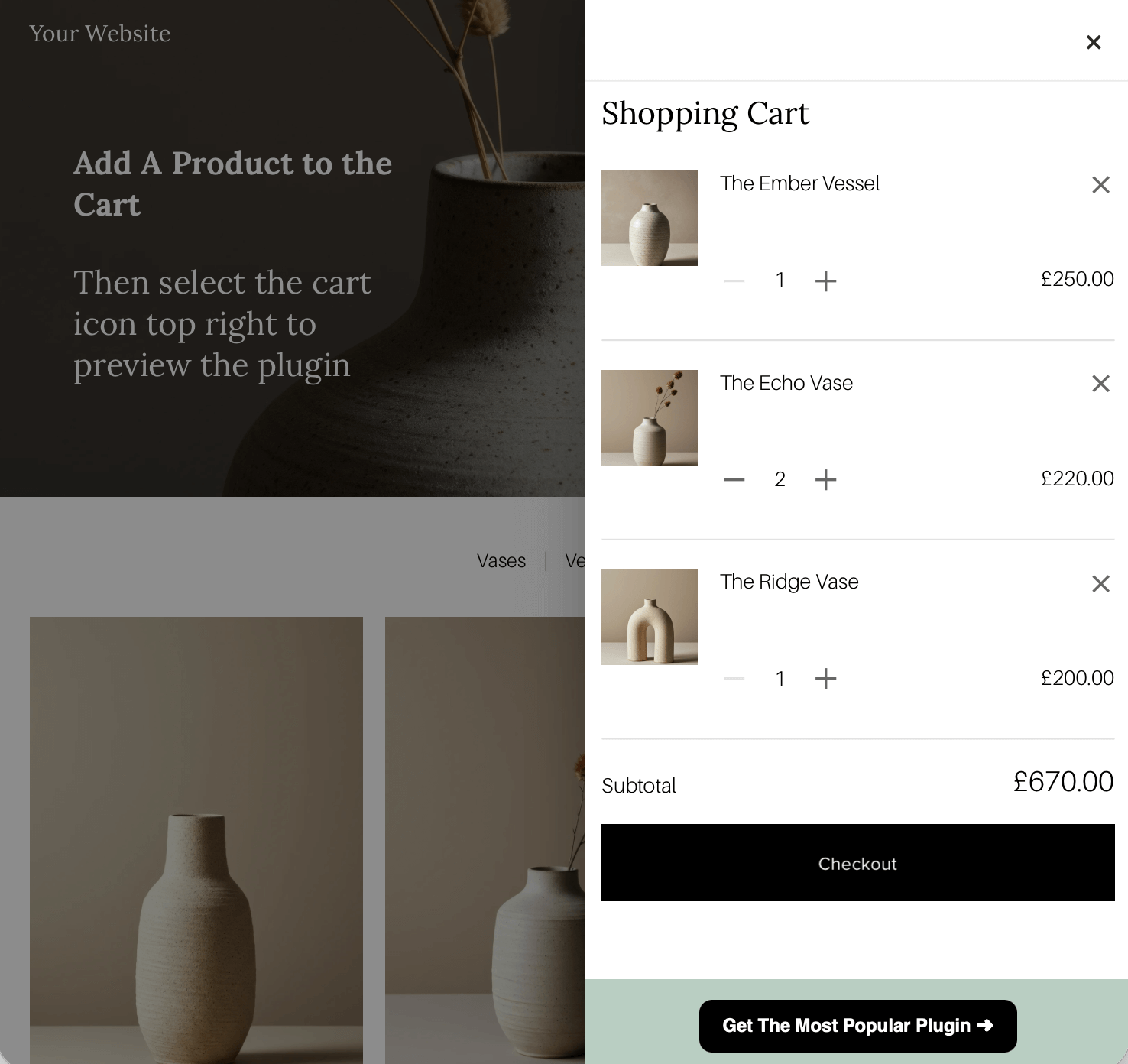
By default, Squarespace redirects customers to a separate cart page.
That extra step creates friction.
A shopping cart slider keeps customers on the page so they can:
• View their basket instantly
• Continue browsing without interruption
• Add more products easily
• Move to checkout faster
It feels more modern. More premium. More intentional.
If you care about conversions, your Squarespace shopping cart should not feel outdated.
The Big Difference: Built In ‘Promo Upsell Feature’
This is where this plugin stands apart. Inside the shopping cart slider, you can display a fully custom promotional link.
Every time someone opens their cart, they see your selected promotion. You can use this to:
• Promote a high margin product
• Highlight a bundle or upgrade
• Push a seasonal offer
• Showcase a new launch
Your cart becomes a conversion space. No other Squarespace shopping cart slider plugin currently includes this built in promotional exposure feature. It is simple to edit, fully customisable, and can be positioned at the top or bottom of the cart.
This alone can increase product visibility and average order value.
FAQs About the Squarespace Shopping Cart Slider Plugin
-
No. It upgrades the Squarespace shopping cart while keeping the native checkout process exactly the same.
-
No. The cart loads only when triggered and uses your existing Squarespace cart system.
-
Yes. You can change the text, link URL, and position within the cart.
-
Yes. The promotional link can be disabled in the settings with a simple toggle.
-
Yes. This plugin is built specifically for Squarespace 7.1.
-
No. Installation is copy and paste into Code Injection and Custom CSS. Full instructions are included.