

How To Link Pages in Squarespace Forms
Last updated 13/03/2026
How to Link Pages in Squarespace Forms (Quick Answer)
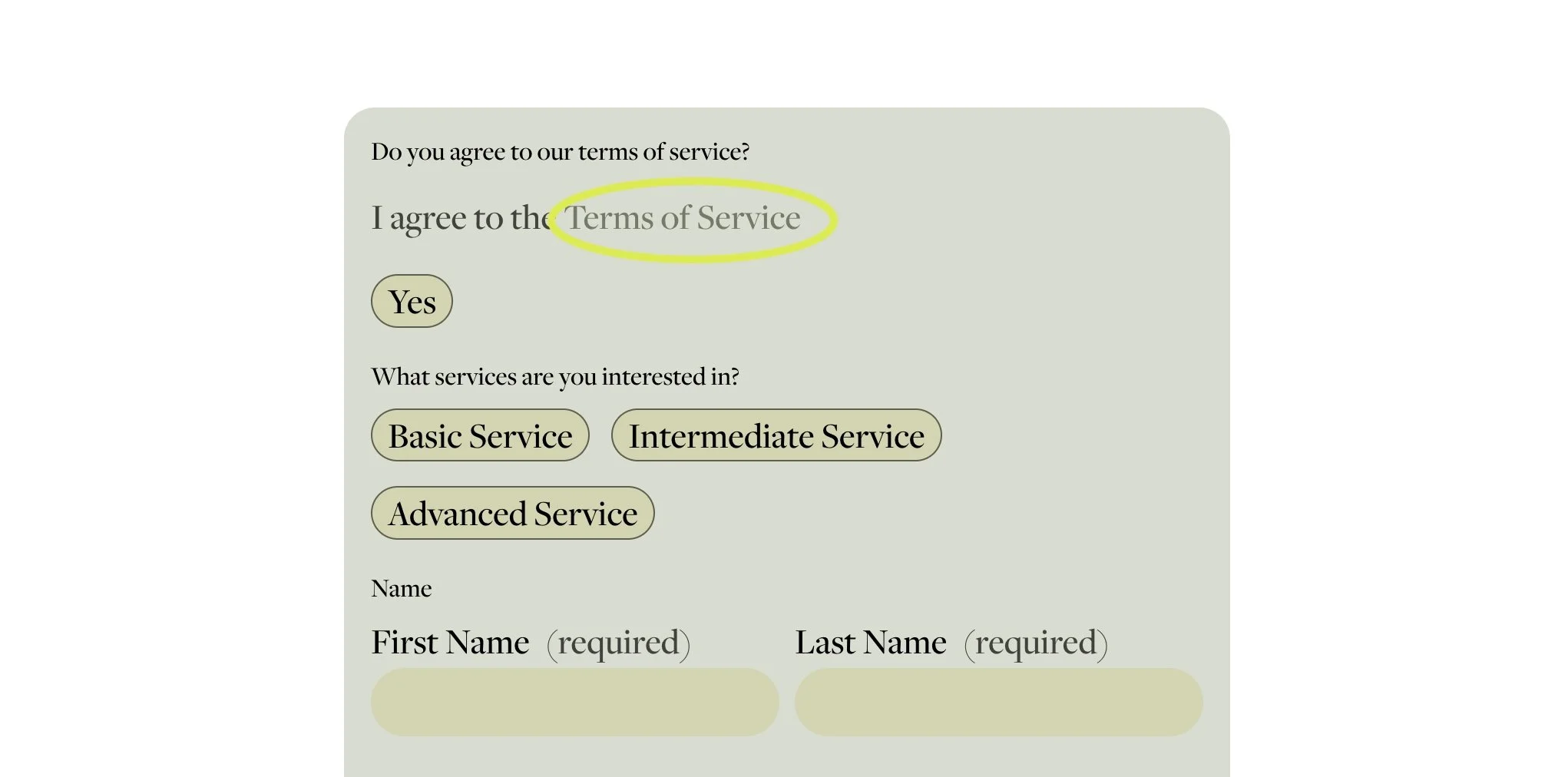
To link pages in Squarespace forms, add HTML directly into the form description or field text.
For example:
I agree to the <a href="/your-page" target="_blank">Terms of Service</a>
This makes the text clickable and allows you to link to internal pages, blog posts, or policies.
Full Set Up Guide On How to Link Pages in Squarespace Forms
If you’ve ever tried to add a clickable link inside a form in Squarespace, you’ll know it’s not exactly obvious.
Whether you want users to accept your terms and conditions, link to a privacy policy, or direct them to another page, this is one of the most searched workarounds for how to link pages in Squarespace forms.
The good news? It’s actually very simple once you know how.
Why Add Links to Squarespace Forms?
Adding links inside your Squarespace forms can improve both user experience and compliance. Common use cases include:
Linking to terms and conditions
Adding a privacy policy checkbox
Directing users to a Squarespace link to blog post
Sharing supporting documents or FAQs
It’s a small detail that makes your site feel more professional and trustworthy.
How To Link Pages in Squarespace Forms (Step-by-Step)
Here’s the exact method you can use.
Step 1: Open Your Form Block
Go to the page where your form Squarespace block is located
Click Edit
Select your form and open the settings
Step 2: Add a Description or Field Text
You can add links inside:
The form description
A checkbox field
Any text field label or description
Step 3: Paste This Code
Add the following HTML directly into the text area:
I agree to the <a href="/YOUR-LINK-HERE" target="_blank">Terms of Service</a>
Step 4: Update Your Link
Simply replace:
/home with your actual page URL
Terms of Service with your preferred link text
Step 5: Save and Test
Always test your form to make sure:
The link is clickable
It opens correctly (especially in a new tab)
It works across mobile and desktop
Where This Works in Squarespace Forms
This method works in multiple areas across Squarespace forms, including:
Form descriptions
Checkbox consent fields
Newsletter sign-up forms
Contact forms
It’s one of the easiest ways to enhance your form Squarespace setup without needing plugins or custom code injections.
Best Practices for Linking in Forms
To get the most out of this feature (and improve conversions), keep these tips in mind:
Keep link text clear (e.g. Privacy Policy instead of Click here)
Make sure linked pages are up to date
Use this for compliance where required (GDPR, etc.)
Open important links in a new tab using target="_blank"
What ‘target="_blank"‘ does
It tells the browser to open the link in a new tab instead of taking the user away from your current page. This is already included in the code above.
Common Questions
-
Yes, you can add links by using simple HTML inside form descriptions or fields. This is the easiest way how to link pages in Squarespace forms.
-
If your link isn’t working, check that:
You’ve used proper HTML (<a href="...">)
The URL is correct
You’re placing it in the ‘description’ of the field.
-
Yes, simply replace the URL in the code with your blog post link. This works perfectly for a Squarespace link to blog post within forms.
-
You only need a small snippet of HTML. No advanced coding or developer tools required.
Final Thoughts
If you’ve been searching for how to link pages in Squarespace forms, this quick HTML trick is all you need.
It’s simple, effective, and gives you far more flexibility when building forms that are both user-friendly and compliant.
Other articles you may be interested in:

For more helpful Squarespace tips check out my blog, or sign up to my newsletter.
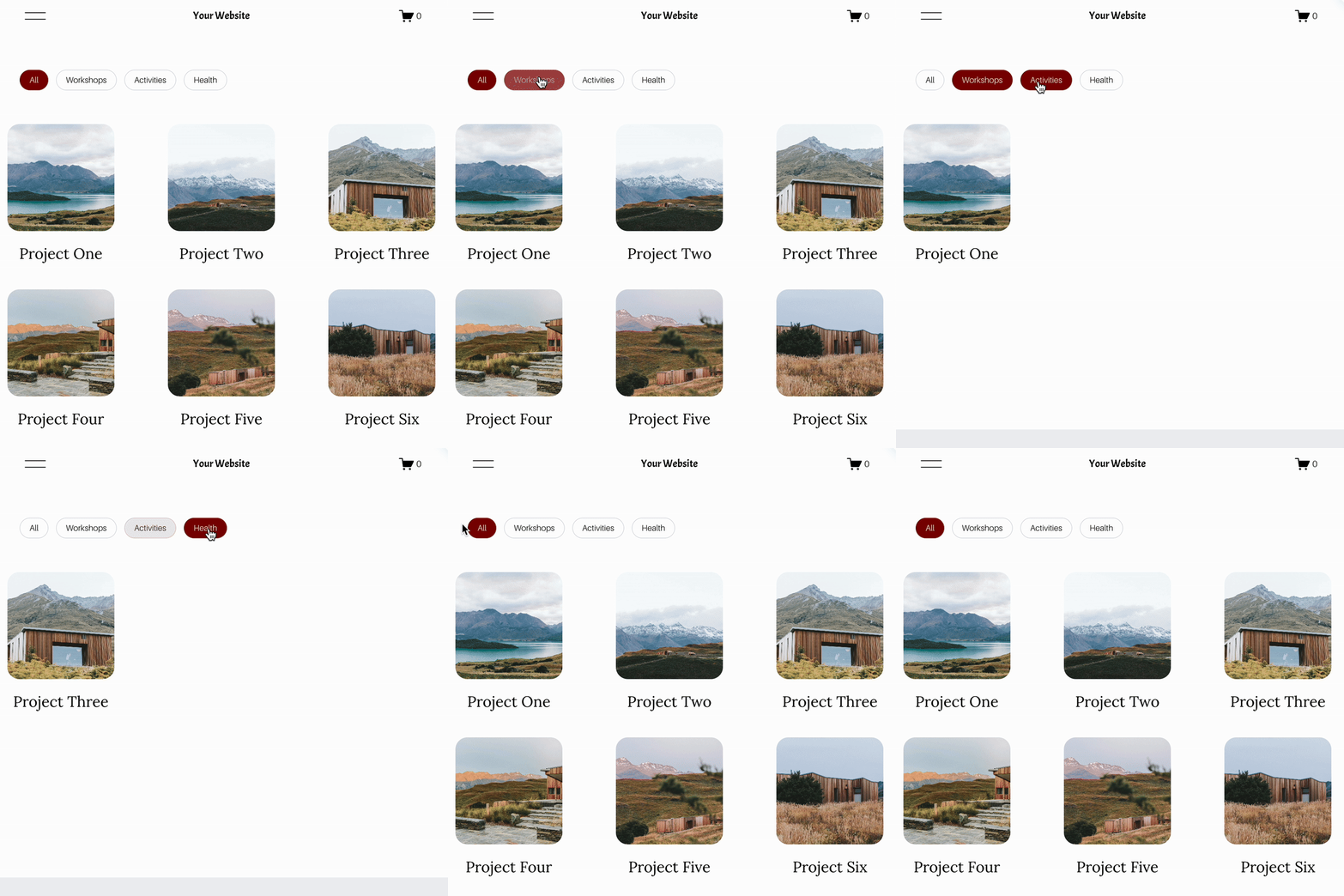







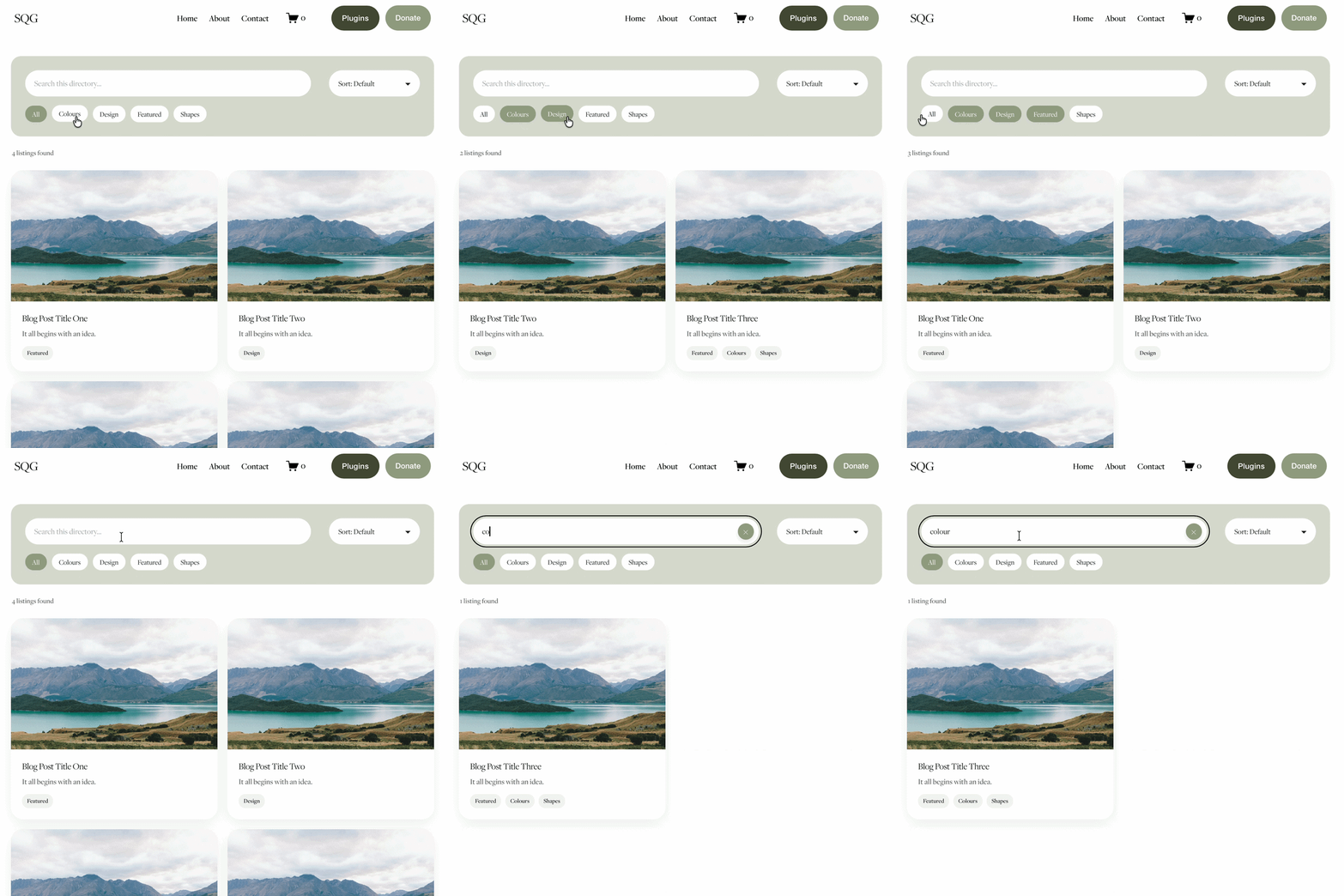
Looking for an easy way to add filters to Squarespace?
The Genius Squarespace Filter Plugin helps you turn busy portfolio pages, blogs, event pages and galleries into a cleaner, easier to browse experience.
Visitors can quickly filter your content by category, topic, service, location, resource type or any labels you choose, instead of scrolling through everything.
Perfect for portfolios, blog archives, event listings, galleries (grid, masonry & strips only) resource hubs and larger content collections, this plugin gives your visitors a smoother way to explore your content without the cost or complexity of custom development.
Portfolio Filter Demo ➜
NEW Advanced Dropdown Portfolio Filter Demo ➜
Gallery Filter Demo ➜
Blog Filter Demo ➜
Event Filter Demo ➜
Key Features:
Simple to install and customise
Filter options for portfolio pages, galleries, blogs and events
Includes the new advanced dropdown portfolio filter
Ideal for Squarespace sites needing more in depth filtering options with a simple user experience
Beginner friendly setup with copy and paste instructions
Designed for Squarespace 7.1 websites