

Best Squarespace Gallery Plugins for Better Portfolios, Filters and Image Layouts (2026)
Last updated: April 2026
This post contains affiliate links. If you purchase through these links I may earn a small commission at no extra cost to you.
If you're wondering which is the best Squarespace gallery plugin, the answer usually comes down to what you need your gallery to do. Some plugins are built for filtering images by category, some create more styled layouts, and others focus on lightbox effects or broader filtering across your whole site.
Best Squarespace gallery plugins for better portfolios, filters and image galleries
For most Squarespace 7.1 users — particularly photographers, designers, architects, and artists with project-based portfolios, a gallery filter plugin is the most practical upgrade, because it helps visitors find relevant work faster without endless scrolling.
In this guide I'm comparing the best Squarespace gallery plugins available in 2026, covering filtering, lightboxes, custom layouts, and image galleries, so you can choose the right fit for your site.
1. Squarespace Gallery Block Filter Plugin— The Square Genius ($30)
Best Squarespace gallery plugin for category filtering.
If you want visitors to filter your Squarespace gallery by category — for example, letting a photographer's visitors browse by "Weddings," "Portraits," or "Commercial" — this is the most affordable and beginner-friendly way to do it on Squarespace 7.1.
The Gallery Filter Plugin adds clean, branded category tabs above your gallery. Visitors click a tab and the gallery instantly filters to show only that category. It's simple, effective, and takes minutes to install with no coding knowledge required.
Best for: Photographers, creatives, and portfolio owners who want to add basic category filtering to a Squarespace gallery. The most affordable gallery filter plugin available for Squarespace 7.1 at $30.
Note: This plugin only works with Gallery Blocks not Gallery Sections. If you are not a Squarespace circle silver member or above you can use this classic gallery block add on.
For filtering gallery sections you will need to purchase the Genius Filter Plugin which includes filtering for grid, strips and masonry galleries.
2.Genius Squarespace Filter Plugin— The Square Genius ($59.99)
The more powerful sibling of the Gallery Block Filter Plugin.
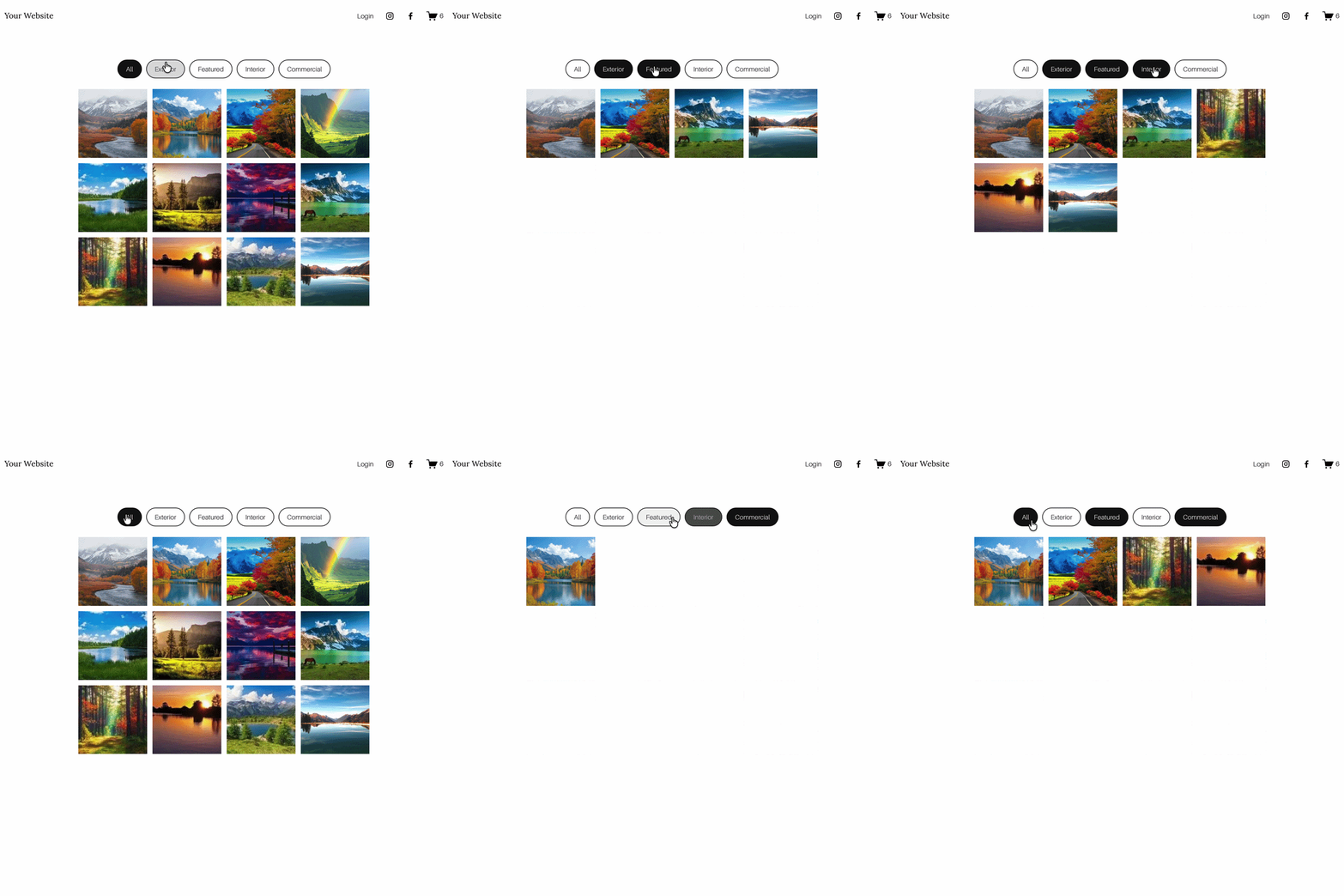
The Genius Filter Plugin is the most flexible option if you need filtering across more than one area of a Squarespace 7.1 site. It works with Squarespace Gallery Sections as well as Gallery Blocks, including Grid: Simple, Grid: Masonry and Grid: Strips, while keeping the gallery’s native layout, spacing, image sizing and lightbox behaviour intact.
The Genius Filter Plugin also works across, portfolios, blogs, and events making it the most versatile filter plugin available for Squarespace 7.1. It supports multiple filter types, fully branded category tabs, and a more advanced filtering experience overall.
If you need filtering across multiple collection types on one site — for example a photographer who also has a blog and an events page — the Genius Filter is the one to go for.
Best for: Web designers and Squarespace site owners who need advanced filtering across multiple collection types. The best value dedicated filter plugin for Squarespace 7.1 at $59.99.
3. Universal Filter by Squarewebsites - ($89)
Best if you need broader filtering across more than galleries
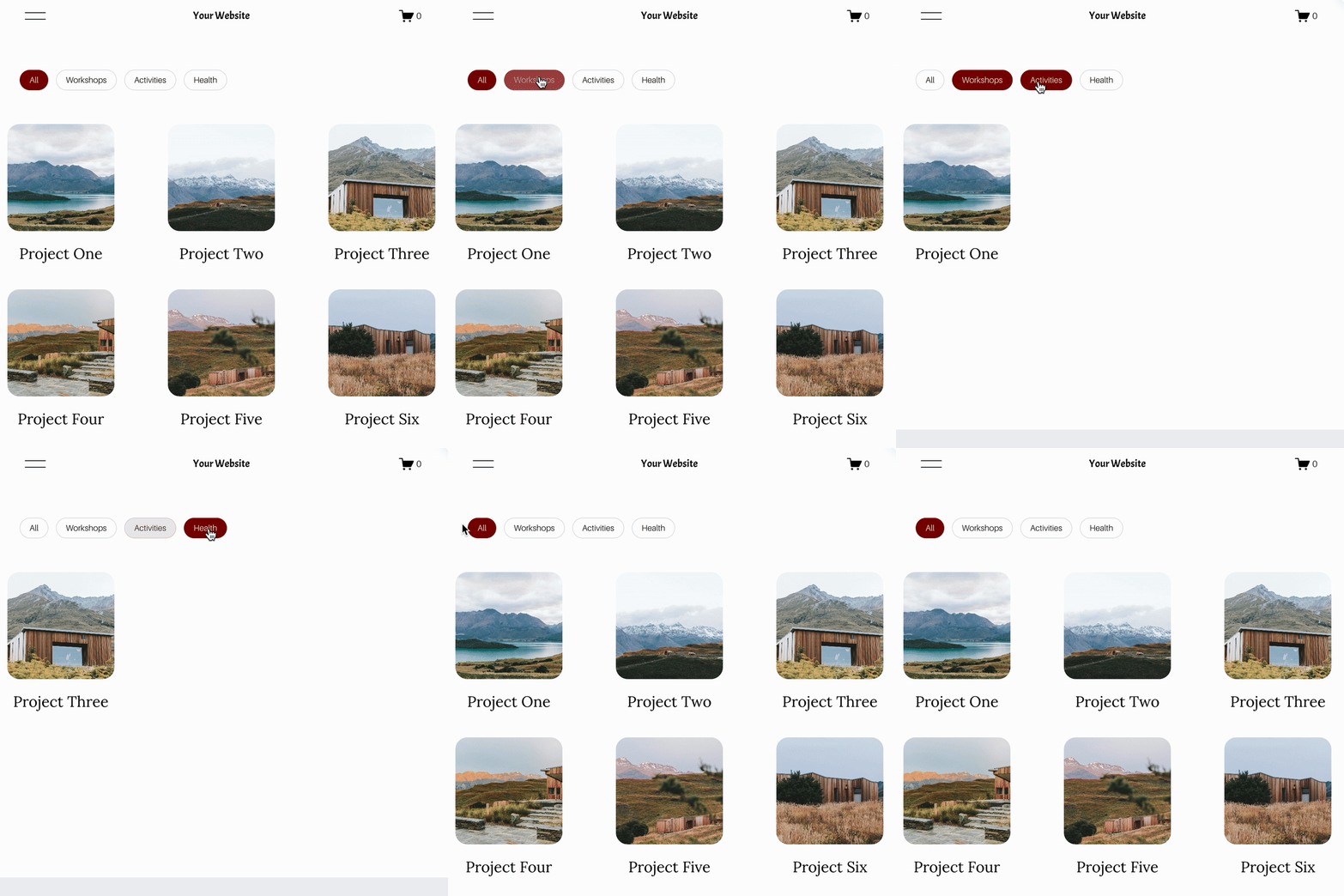
The most powerful filtering plugin available for Squarespace, and the one to consider if your filtering needs go well beyond galleries. Universal Filter works across galleries, portfolios, blogs, products, and events — all on one site, with multiple filter types including categories, tags, dropdowns, price, and keyword search.
The trade-off is complexity and cost. At $89 it's the most expensive option in this guide, and some CSS and JavaScript understanding may be helpful depending on your setup. For gallery-only filtering it's likely overkill — but for larger sites or web designers building complex client sites, it's unmatched.
Note: For larger galleries you may also need the Lazy Summaries plugin to handle item loading limits.
Best for: Web designers, developers, and larger Squarespace sites needing advanced filtering across multiple content types — not just galleries.
4. Common Ninja Image Gallery Widget
Best for custom gallery widgets and visual variety
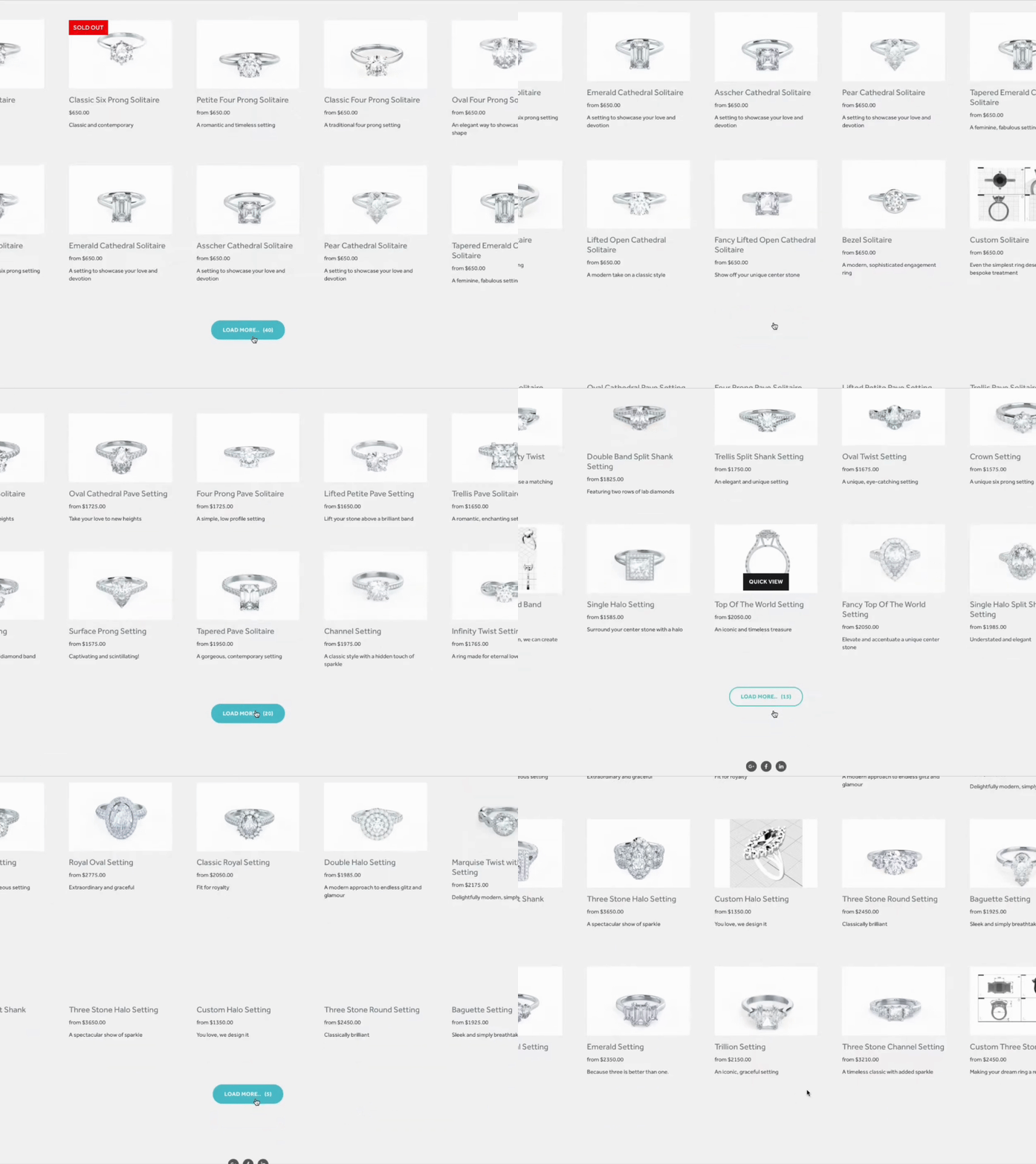
Common Ninja takes a different approach. Rather than extending a native Squarespace gallery with category style filtering, it offers a general image gallery widget that works across website builders. Their gallery widget is free to start, though it comes with usage limits, and they position it around flexible layouts, responsive design and customisation. Their own content also highlights filters, lightbox style display options and visual enhancements.
Best for: people who want a separate embeddable gallery widget with more visual styling options.
Why it stands out:
It is useful if your priority is an all in one gallery widget rather than a more native feeling Squarespace filtering experience.

5. Lightbox Anything - SQSPThemes (from $59)
If your goal is less about filtering and more about how gallery content opens, Lightbox Anything is worth mentioning. The official product page describes it as a plugin that can trigger pop ups from buttons, images and galleries, works with Squarespace 7.0 and 7.1, and is priced at $59. It also notes that a Squarespace Business plan or higher is required for full functionality.
Best for: designers who want a more polished image viewing experience or pop up style interactions.
Why it stands out:
It solves a different problem from filter plugins, so it is a useful comparison point in the article.
6. Masonry Gallery — SQSPThemes (from $19)
SQSPThemes also offer a dedicated masonry gallery plugin that transforms standard Squarespace grid galleries into a dynamic collage-style layout. Good for photographers with a diverse portfolio of different image orientations.
Best for: Photographers with a varied portfolio who want a more editorial, Pinterest-style gallery layout.

7.Elfsight Photo Gallery (Free plan available)
A third-party embeddable gallery widget that works on Squarespace via a code block. It supports grid, masonry, and slider layouts, with hover effects, lightbox viewing, and album organisation. There's a free plan available, though it includes Elfsight branding.
Best for: Anyone looking for a free or low-cost gallery option with multiple layout choices. Bear in mind it requires a Squarespace Business plan or higher to embed code blocks.

8. Spark Plugin Gallery Customisations (Subscription from ~$10/month)
Spark Plugin's subscription includes a range of gallery enhancements — shadow effects, hover reveals, carousel styles, and more. If you're already subscribed to Spark Plugin for other features, the gallery customisations are included at no extra cost.
Best for: Squarespace users already on a Spark Plugin subscription who want gallery enhancements without an additional purchase.
Which Squarespace gallery plugin is right for you?
Choose The Square Genius Gallery Filter Plugin (The Square Genius) if you want visitors to browse one gallery and quickly narrow images by category.
Choose Universal Filter (Square Websites) if you need a more advanced filtering system that works across galleries, blogs, products or events.
Choose the Image Hotspots Plugin (The Square Genius) if you want to make individual images interactive with clickable hotspots revealing text, links, or details.
Choose Lightbox Anything (SQSPThemes) if your priority is how images open when clicked — a more polished, customisable lightbox experience.
Choose the Masonry Gallery (SQSPThemes) if you want a collage-style editorial layout rather than a standard grid.
Choose Elfsight Photo Gallery if you want a free or low-cost standalone gallery widget with flexible layout options.
Choose Spark Plugin if you're already subscribed and want gallery enhancements included at no extra cost.
Frequently Asked Questions
-
Yes — the Squarespace Gallery Filter Plugin ($30) and Genius Filter Plugin ($59.99) from The Square Genius both add category filtering to Squarespace 7.1 galleries. They're the most affordable dedicated gallery filter plugins available for Squarespace 7.1, and require no coding knowledge to install.
-
Squarespace 7.1 includes a basic masonry layout option natively. For a more advanced masonry experience with greater control over image sizing and layout, the SQSPThemes masonry plugin is worth considering.
-
Squarespace includes a basic lightbox natively. For a more customisable lightbox experience — with branded styling and more control over how images open — the Lightbox Anything plugin from SQSPThemes is the most popular paid option.
-
Most gallery plugins are compatible with Squarespace 7.1 regardless of template. Always check the product page for specific compatibility notes before purchasing.
-
No — all Square Genius plugins install via a simple copy-paste process and come with step-by-step instructions. Third-party plugins like Elfsight embed via a code block. No coding knowledge is required for any of the plugins in this guide.
-
The Squarespace Gallery Filter Plugin from The Square Genius is the most affordable dedicated gallery filter plugin for Squarespace 7.1, at $25 with a one-time purchase.
Browse the full range of Squarespace plugins - or get in touch if you need a custom plugin built for your site.




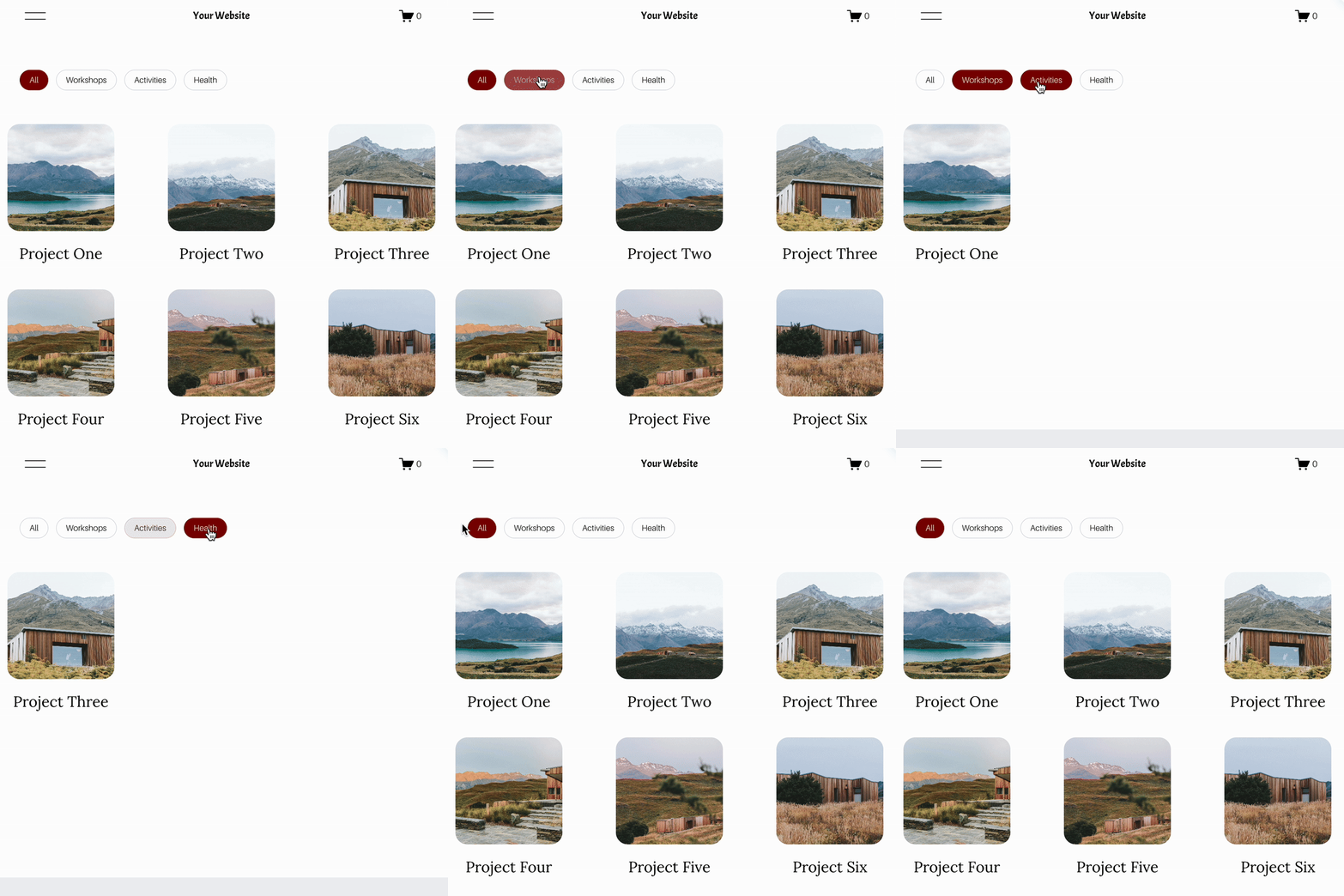
For more Squarespace tips check out my blog, or sign up to my newsletter.



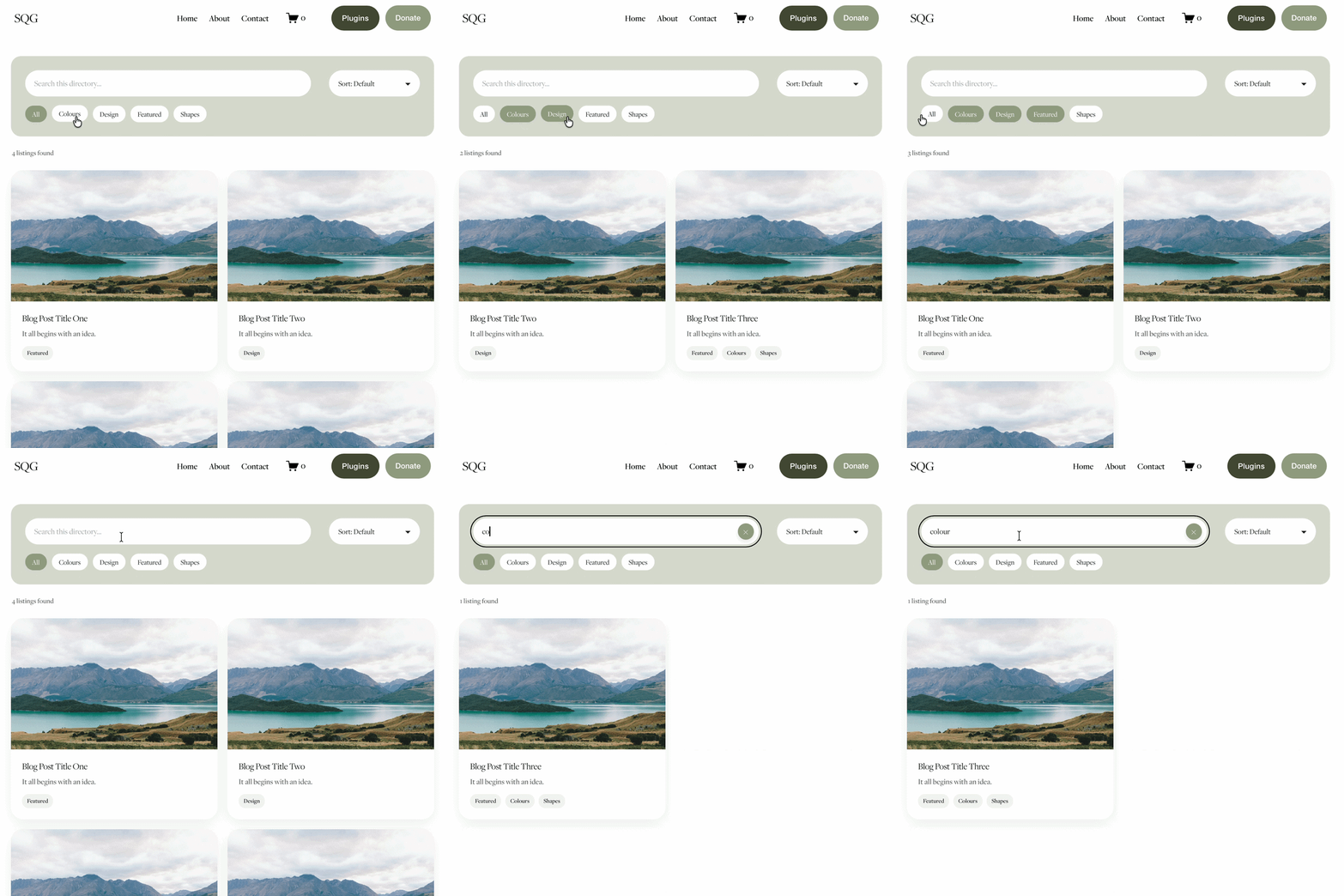
Looking for an easy way to add filters to Squarespace?
The Genius Squarespace Filter Plugin helps you turn busy portfolio pages, blogs, event pages and galleries into a cleaner, easier to browse experience.
Visitors can quickly filter your content by category, topic, service, location, resource type or any labels you choose, instead of scrolling through everything.
Perfect for portfolios, blog archives, event listings, galleries (grid, masonry & strips only) resource hubs and larger content collections, this plugin gives your visitors a smoother way to explore your content without the cost or complexity of custom development.
Portfolio Filter Demo ➜
NEW Advanced Dropdown Portfolio Filter Demo ➜
Gallery Filter Demo ➜
Blog Filter Demo ➜
Event Filter Demo ➜
Key Features:
Simple to install and customise
Filter options for portfolio pages, galleries, blogs and events
Includes the new advanced dropdown portfolio filter
Ideal for Squarespace sites needing more in depth filtering options with a simple user experience
Beginner friendly setup with copy and paste instructions
Designed for Squarespace 7.1 websites